AI agent for biochemists
Mass Spectrometry Run Quality and Reprocessing Agent
Catch and fix poor-quality runs while samples and instrument time are still available
What it does
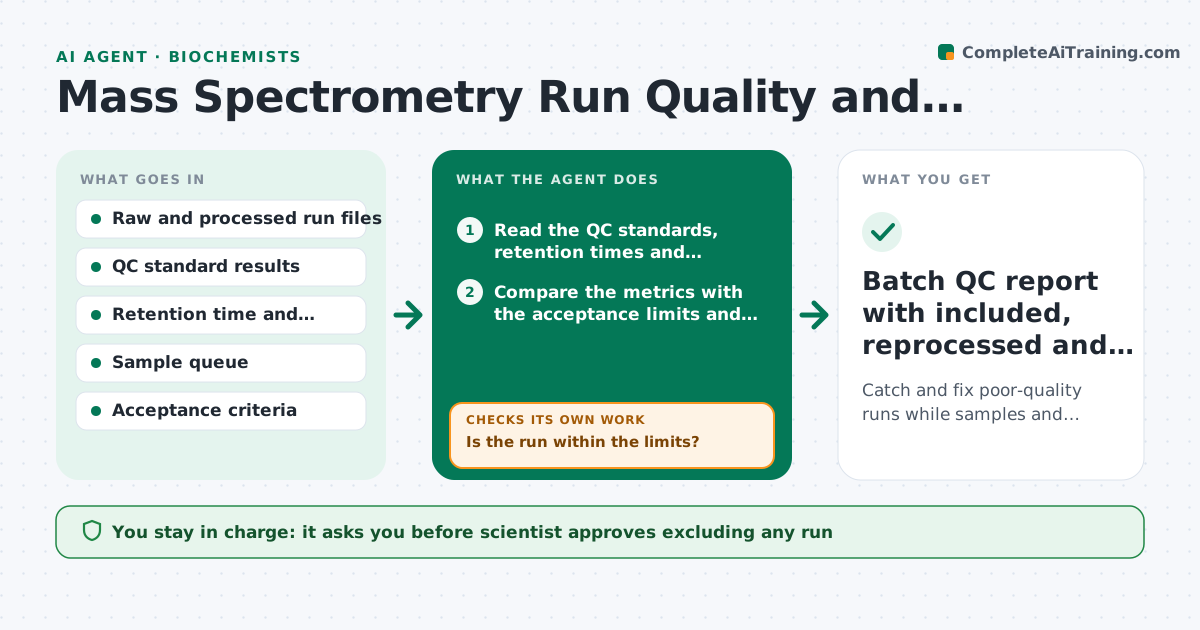
A proteomics study runs for four days, and only when the full dataset is processed does the team see that some runs drifted and the signal fell. The samples are gone or the instrument time is spent. This agent watches as runs complete. It checks QC standards, retention time drift and signal intensity per run, flags drifting runs, tries reprocessing with adjusted alignment and rechecks the QC after each try. It queues reruns for samples that still fail while the sample is available. It keeps a running table of run quality. The scientist approves excluding any run. Edge case: a drift starts mid-batch. The agent suggests stopping the queue for maintenance.
How it works
Follow the arrows from top to bottom. The orange dashed arrow is the loop: when a check fails, the agent goes back and tries again.
Read the steps as a list
- A run completes
- Read the QC standards, retention times and intensities
- Compare the metrics with the acceptance limits and previous runs
- Is the run within the limits?If not: Flag it and try reprocessing with adjusted alignment. Back to step 2.
- Reprocess the run with the new settings
- Does the reprocessed run meet QC?If not: Queue a rerun if the sample is available. Back to step 4.
- Check for drift patterns across the batch
- Recommend a pause for maintenance if drift passes the stop limit
- Scientist approves excluding any run or pausing the queueThe agent waits here for your OK.
- Update the run quality table and the queue
- Batch QC report with included, reprocessed and rerun samples
How it decides
A run passes if the QC standards meet retention time and intensity limits. Reprocessing is tried before rerunning, because drift can often be corrected computationally.
- Retention time drift over 0.5 minutes is flagged
- Signal intensity below 50 percent of the QC median is flagged
- Three consecutive drifting runs trigger a pause recommendation
- Reprocess before rerunning
Make it yours
Every agent is a starting point. You choose these settings for your own situation.
- QC limits
- Number of drifting runs before a pause (default 3)
- Processing settings to try
- Report format
- Who receives alerts
What keeps you in control
It always asks you first
- Scientist approves excluding any run
- Scientist approves pausing the queue
Hard limits
- Never deletes raw data
- Never excludes a run without approval
It stops when
- Done: all samples pass QC or are excluded with approval
- Stop: instrument fault, stop the queue and call the facility
Set it up
We guide you through the set-up, step by step
Members get the full set-up guide for this agent. No technical skills needed: you copy, paste and upload.
- One set of instructions to paste into your AI, with the clicks for ChatGPT, Claude, Microsoft 365 Copilot, Gemini and Grok
- The agent then walks you through connecting your own data, one source at a time
- A downloadable copy with the flow chart, the rules and the full guide