AI agent for carpenters
Milestone Invoice and Lien Waiver Agent
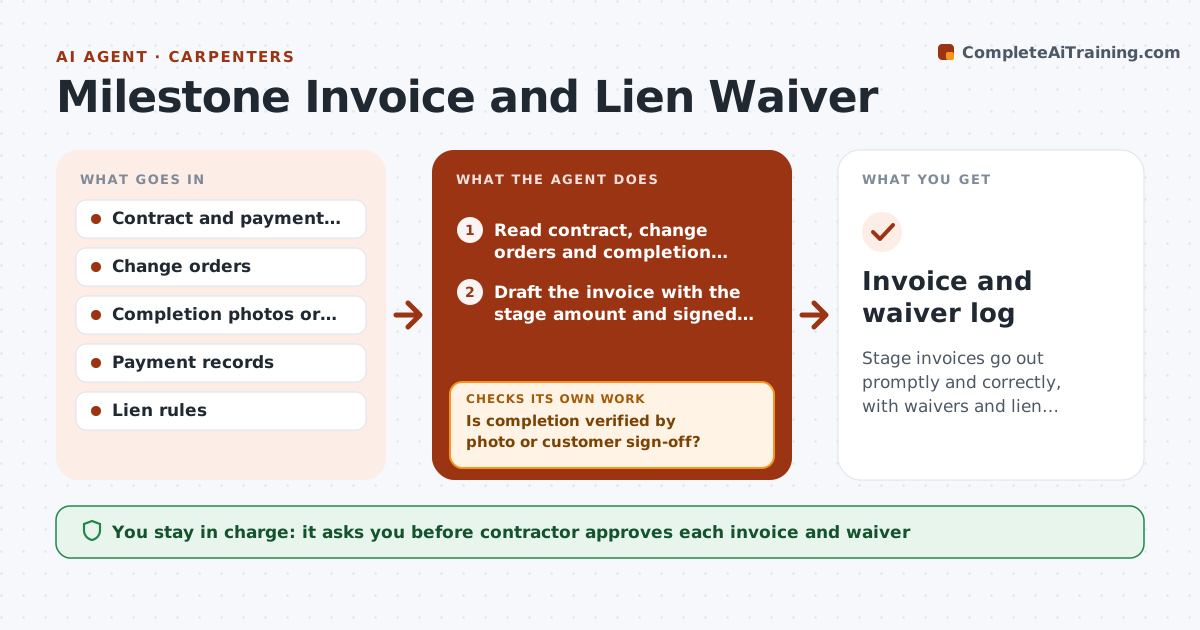
Stage invoices go out promptly and correctly, with waivers and lien deadlines tracked.
What it does
You finish rough-in on Monday and send the invoice two weeks later, and you forget the lien waiver exchange. This agent tracks milestones against the contract. When work is verified by photos or customer sign-off, it drafts the stage invoice, and prepares the waiver documents to match the payment. It checks that the amounts match the contract and any change orders. If they do not, it corrects the draft and rechecks. After sending, it tracks payment and lien deadlines and reminds you. You approve every invoice and waiver. Edge case: a change order approved by text message is flagged until a signed copy is on file.
How it works
Follow the arrows from top to bottom. The orange dashed arrow is the loop: when a check fails, the agent goes back and tries again.
Read the steps as a list
- Milestone marked complete
- Read contract, change orders and completion evidence
- Is completion verified by photo or customer sign-off?If not: Ask the contractor for photos or sign-off. Back to step 2.
- Draft the invoice with the stage amount and signed change orders
- Does the total equal the contract plus approved change orders?If not: Correct the amount or request the missing change order. Back to step 4.
- Prepare the lien waiver for the invoice amount
- Contractor approves the invoice and waiverThe agent waits here for your OK.
- Track payment and lien filing deadlines
- Draft reminders for unpaid invoices
- Contractor approves each reminderThe agent waits here for your OK.
- Invoice and waiver log
How it decides
It invoices a milestone only when completion is verified and the amount equals the contract stage plus signed change orders.
- Invoice only verified milestones
- Count only signed change orders
- Remind at 7 days after the due date
- Show lien deadline dates on the tracker
Make it yours
Every agent is a starting point. You choose these settings for your own situation.
- Payment schedule template
- Reminder timing (default 7 days)
- Lien deadline rules
- Invoice format
What keeps you in control
It always asks you first
- Contractor approves each invoice and waiver
- Contractor approves each reminder
Hard limits
- Never send invoices or waivers itself
- Never give legal advice on lien rights
It stops when
- Done: invoice paid and waiver exchanged
- Stop: contract terms unclear
Set it up
We guide you through the set-up, step by step
Members get the full set-up guide for this agent. No technical skills needed: you copy, paste and upload.
- One set of instructions to paste into your AI, with the clicks for ChatGPT, Claude, Microsoft 365 Copilot, Gemini and Grok
- The agent then walks you through connecting your own data, one source at a time
- A downloadable copy with the flow chart, the rules and the full guide