AI agent for engineering managers
Project Status and Risk Report Agent
An honest, evidence-based project status and risk report each week
What it does
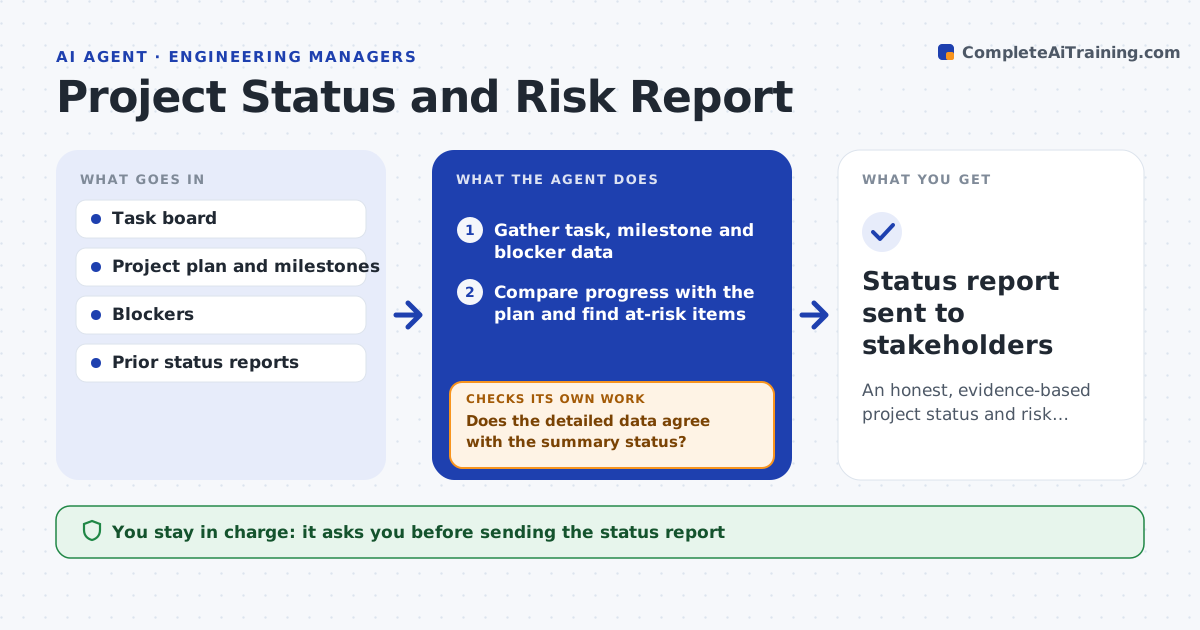
Managers spend hours each week pulling status from task boards, calendars and chats, and slipping risks get smoothed over. This agent gathers the real state of a project: task completion against plan, milestones at risk, blockers and how actual progress compares with the schedule. It calculates whether the project is on track and which items threaten the next milestone. Where data conflicts, such as a task marked done with open sub-tasks, it checks the detail before rating. It also compares current scope with the baseline, so a milestone does not look green only because scope was cut. It drafts a clear status with a red, amber or green rating backed by evidence, plus risks and asks. You approve the report before it reaches stakeholders. Edge case: quietly cut scope is reported as a risk.
How it works
Follow the arrows from top to bottom. The orange dashed arrow is the loop: when a check fails, the agent goes back and tries again.
Read the steps as a list
- Weekly status cycle
- Gather task, milestone and blocker data
- Compare progress with the plan and find at-risk items
- Does the detailed data agree with the summary status?If not: check the conflicting items before rating. Back to step 2.
- Compare current scope with the baseline
- Is the milestone on track without quiet scope cuts?If not: lower the rating and list the cut scope as a risk. Back to step 5.
- Draft the status with rating, risks and asks
- Manager approves the reportThe agent waits here for your OK.
- Status report sent to stakeholders
How it decides
It rates status from actual progress against plan and checks conflicting data before reporting, never smoothing a real risk.
- Rate from actual progress, not optimism
- Check conflicting data before reporting
- Flag milestones kept green by hidden scope cuts
Make it yours
Every agent is a starting point. You choose these settings for your own situation.
- Rating rules
- Data sources
- Risk thresholds
- Report format and audience
What keeps you in control
It always asks you first
- Sending the status report
Hard limits
- Does not hide risks to look good
- Nothing sent to stakeholders without approval
It stops when
- Done: report reflects reality and is approved
- Stop: project data sources are unavailable
Set it up
We guide you through the set-up, step by step
Members get the full set-up guide for this agent. No technical skills needed: you copy, paste and upload.
- One set of instructions to paste into your AI, with the clicks for ChatGPT, Claude, Microsoft 365 Copilot, Gemini and Grok
- The agent then walks you through connecting your own data, one source at a time
- A downloadable copy with the flow chart, the rules and the full guide