AI agent for small business owners
Studio Booking and Invoicing Agent
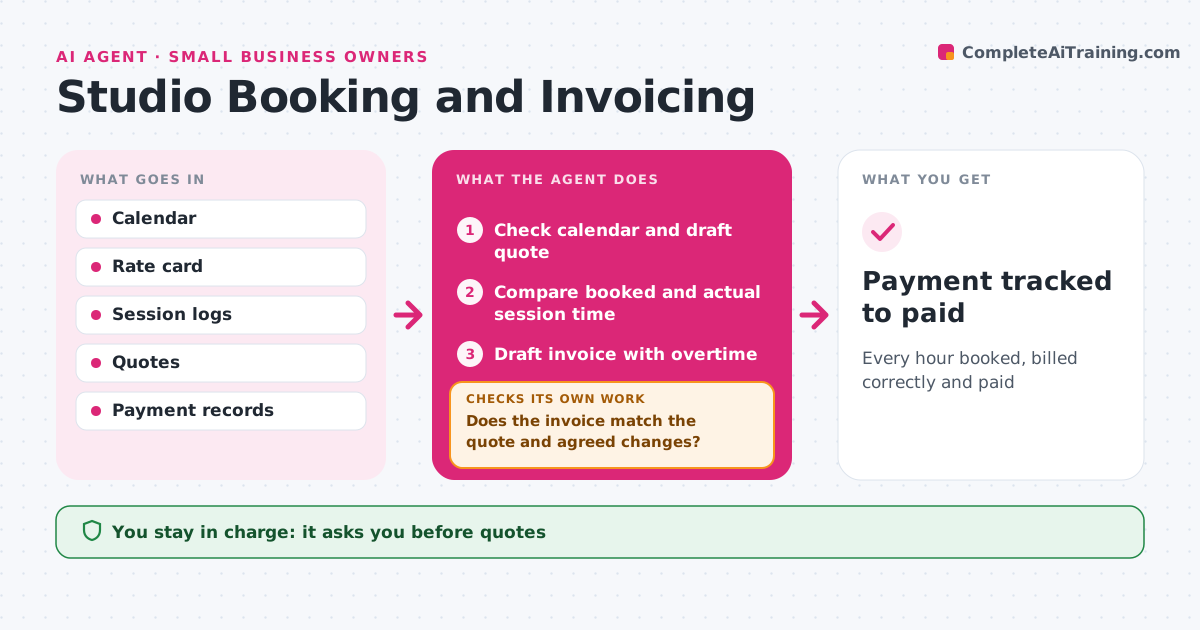
Every hour booked, billed correctly and paid
What it does
Small studios lose money on overtime nobody billed and invoices that do not match the quote. When a client asks for studio time, this agent checks the calendar, drafts a quote with rates and deposit, and holds the slot once the engineer approves. After each session it compares booked time with actual time from the session log and adds overtime at the agreed rate. It drafts the invoice and checks it against the quote and any agreed changes. If the numbers do not match, it lists the difference for the engineer. It tracks payment and drafts polite reminders when payment is late. The engineer approves every quote, invoice and reminder. Edge case: time lost to a studio equipment fault is not charged as overtime.
How it works
Follow the arrows from top to bottom. The orange dashed arrow is the loop: when a check fails, the agent goes back and tries again.
Read the steps as a list
- Booking request or session ends
- Check calendar and draft quote
- Engineer approves quote and holdThe agent waits here for your OK.
- Compare booked and actual session time
- Draft invoice with overtime
- Does the invoice match the quote and agreed changes?If not: list differences for the engineer. Back to step 4.
- Engineer approves invoice and remindersThe agent waits here for your OK.
- Payment tracked to paid
How it decides
It bills actual time against agreed rates and excludes time lost to studio faults.
- No overtime for studio faults
- Deposits required before holding prime slots
- Reminders at 7 and 14 days overdue
Make it yours
Every agent is a starting point. You choose these settings for your own situation.
- Rate card
- Deposit rules
- Reminder schedule
- Invoice template
What keeps you in control
It always asks you first
- Quotes
- Invoices
- Reminders
Hard limits
- Never takes payment details
- Never sends invoices without approval
It stops when
- Done: invoice paid
- Stop: dispute, hand to the engineer
Set it up
We guide you through the set-up, step by step
Members get the full set-up guide for this agent. No technical skills needed: you copy, paste and upload.
- One set of instructions to paste into your AI, with the clicks for ChatGPT, Claude, Microsoft 365 Copilot, Gemini and Grok
- The agent then walks you through connecting your own data, one source at a time
- A downloadable copy with the flow chart, the rules and the full guide