AI agent for auto mechanics
Tool and Van Inventory Agent
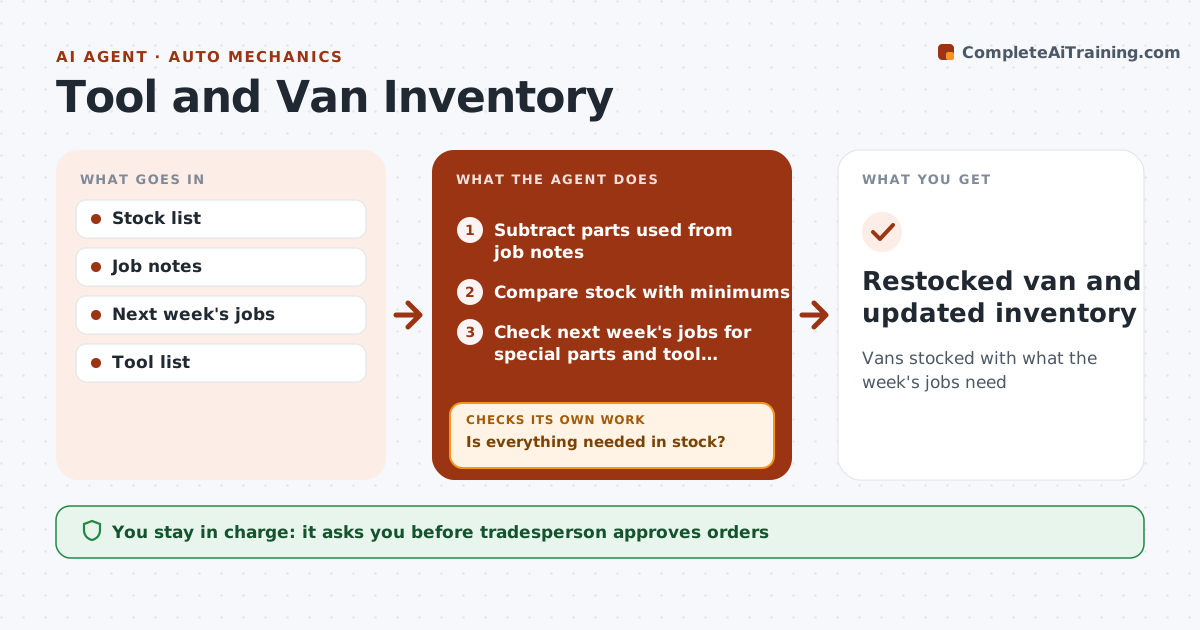
Vans stocked with what the week's jobs need
What it does
Every trip to the supply house costs time, and an empty bin can stop a job. At the end of each day, this agent subtracts parts used from the job notes and compares van stock with minimum levels for each item. It checks next week's scheduled jobs for special parts not usually stocked. Anything short goes on a restock list. It also tracks tool service dates and meter calibration, and tools lent to a coworker until they come back. The tradesperson approves every supply order. After delivery, it checks the received items against the order and keeps missing ones on the list. Edge case: a meter past its calibration date is flagged before the next job that needs it.
How it works
Follow the arrows from top to bottom. The orange dashed arrow is the loop: when a check fails, the agent goes back and tries again.
Read the steps as a list
- End of day
- Subtract parts used from job notes
- Compare stock with minimums
- Check next week's jobs for special parts and tool service dates
- Is everything needed in stock?If not: add to restock list. Back to step 2.
- Tradesperson approves orderThe agent waits here for your OK.
- Compare delivered items with the order
- Did every ordered item arrive?If not: keep missing items on the list and ask the supplier. Back to step 6.
- Restocked van and updated inventory
How it decides
Stock below minimum is restocked. Scheduled jobs' special parts are added.
- Minimum levels per item
- Special parts added
- Tool service dates tracked
Make it yours
Every agent is a starting point. You choose these settings for your own situation.
- Minimum levels
- Supplier
- Order day
- Tool service schedule
What keeps you in control
It always asks you first
- Tradesperson approves orders
Hard limits
- Never orders without approval
- Never charges accounts
It stops when
- Done: order placed
- Stop: no jobs scheduled
Set it up
We guide you through the set-up, step by step
Members get the full set-up guide for this agent. No technical skills needed: you copy, paste and upload.
- One set of instructions to paste into your AI, with the clicks for ChatGPT, Claude, Microsoft 365 Copilot, Gemini and Grok
- The agent then walks you through connecting your own data, one source at a time
- A downloadable copy with the flow chart, the rules and the full guide