AI agent for construction project managers
Trade Sequence Coordination Agent
Trades arrive in the right order with inspections passed, and date changes are handled before they cause rework.
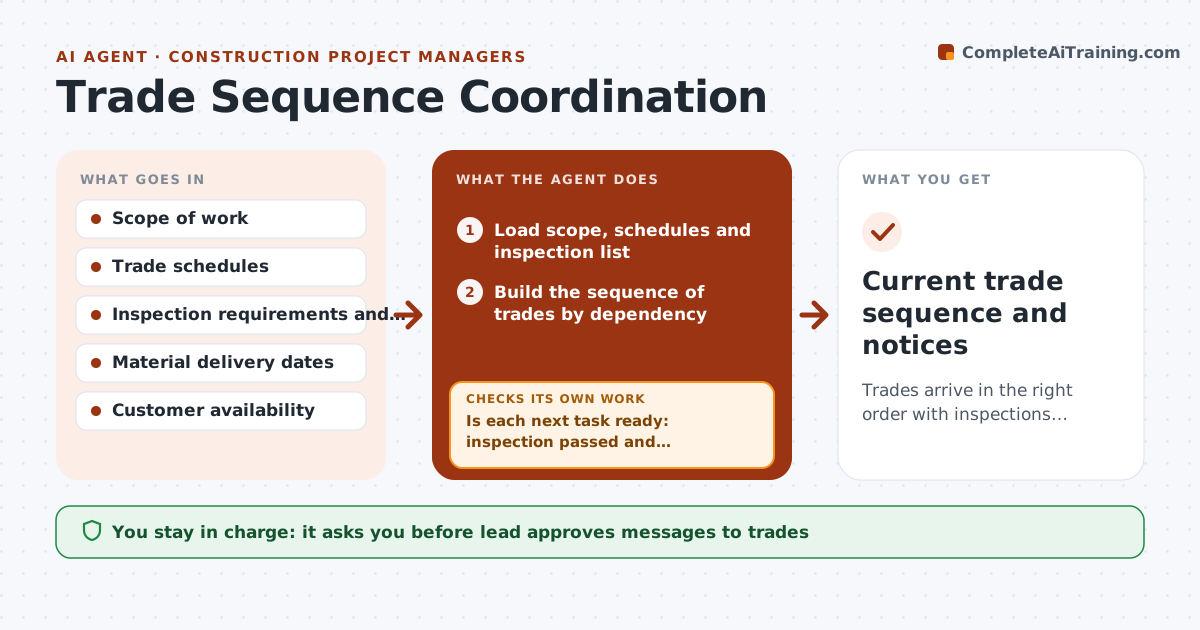
What it does
The drywall crew shows up before the electrician has signed off rough-in, and now a wall has to be opened. This agent builds the order of work from the scope, then keeps it current. It asks each trade for readiness, checks that required inspections have passed before the next trade starts, and flags conflicts, such as drywall scheduled before rough-in sign-off. When dates move, it replans the sequence and shows which trades are affected. You approve messages to trades and to the customer. Edge case: a plumber delayed by a back-ordered fixture triggers a move of tile work, not drywall, if that keeps the critical path intact.
How it works
Follow the arrows from top to bottom. The orange dashed arrow is the loop: when a check fails, the agent goes back and tries again.
Read the steps as a list
- Job start or a date change
- Load scope, schedules and inspection list
- Build the sequence of trades by dependency
- Ask each trade to confirm readiness and dates
- Is each next task ready: inspection passed and materials on site?If not: Hold that task, resequence others and flag the delay. Back to step 3.
- Find conflicts between trade dates
- Replan the sequence and show effects on dates
- Lead approves messages to trades and customerThe agent waits here for your OK.
- Do all confirmed dates follow dependencies without conflict?If not: Replan and ask the affected trade again. Back to step 3.
- Current trade sequence and notices
How it decides
It orders tasks by dependency, and holds any task whose required inspections or materials are not confirmed.
- Rough-in sign-off comes before closing walls
- Hold any task whose materials are not on site
- Give trades 2 days notice for date changes
- Prefer moving non-critical tasks first
Make it yours
Every agent is a starting point. You choose these settings for your own situation.
- Inspection hold points
- Notice period (default 2 days)
- Trades list
- Customer message tone
What keeps you in control
It always asks you first
- Lead approves messages to trades
- Lead approves customer date changes
Hard limits
- Never schedule trades or contact the customer itself
- Never move a task past a required inspection
It stops when
- Done: all trades done in order
- Stop: key trade unavailable beyond the project window
Set it up
We guide you through the set-up, step by step
Members get the full set-up guide for this agent. No technical skills needed: you copy, paste and upload.
- One set of instructions to paste into your AI, with the clicks for ChatGPT, Claude, Microsoft 365 Copilot, Gemini and Grok
- The agent then walks you through connecting your own data, one source at a time
- A downloadable copy with the flow chart, the rules and the full guide