AI agent for user experience designers
Usability Test Recruitment Agent
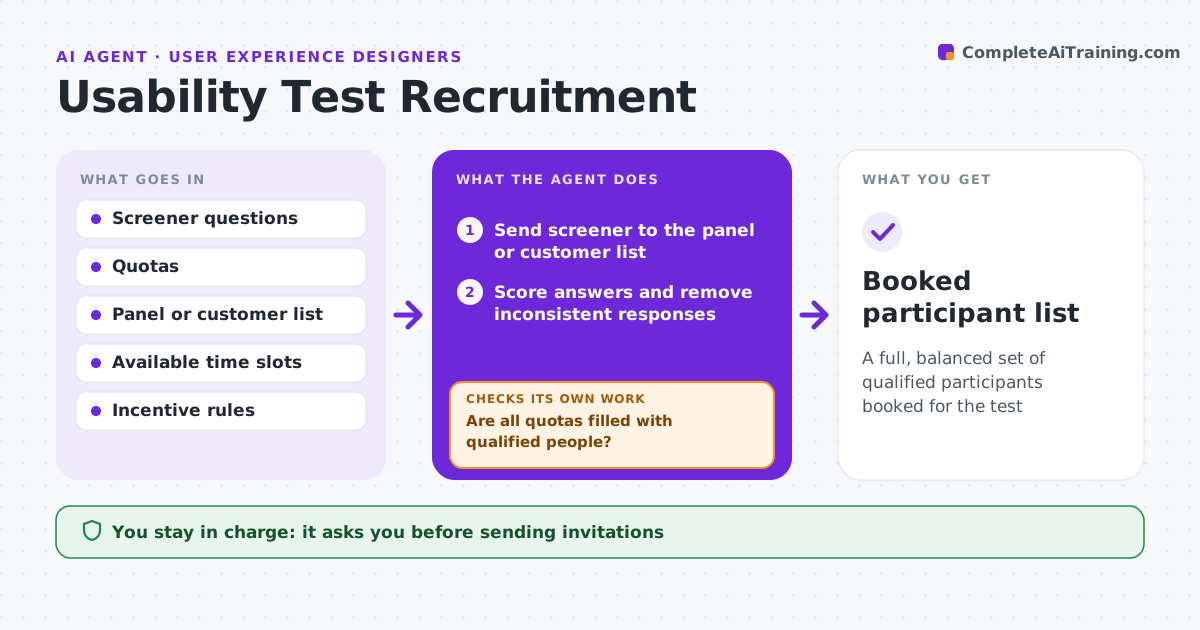
A full, balanced set of qualified participants booked for the test
What it does
Getting the right people into a usability test is slow and full of no-shows. This agent sends your screener to the participant panel or customer list, scores each answer against your criteria and tracks quotas, such as new versus experienced users. It removes answers that look fake or contradict each other, and skips anyone who joined a test within the cooldown period. When a quota is short, it widens outreach to more segments and screens again. Once quotas are full, it proposes a schedule with one backup per four sessions. The designer approves invitations before they go out. The agent then sends invites and reminders and swaps in backups for no-shows. Edge case: a person who joined a test two months ago is skipped to avoid professional testers.
How it works
Follow the arrows from top to bottom. The orange dashed arrow is the loop: when a check fails, the agent goes back and tries again.
Read the steps as a list
- Test plan approved
- Send screener to the panel or customer list
- Score answers and remove inconsistent responses
- Are all quotas filled with qualified people?If not: widen the outreach to more segments and screen again. Back to step 2.
- Propose a schedule with backups
- Designer approves invitationsThe agent waits here for your OK.
- Send invites and reminders, replace no-shows
- Booked participant list
How it decides
It scores answers against criteria, rejects inconsistent ones, and fills quotas in order of best fit.
- Reject answers that contradict each other
- Skip people who joined a test in the cooldown period
- Book one backup per four sessions
Make it yours
Every agent is a starting point. You choose these settings for your own situation.
- Quotas and criteria
- Cooldown since last test (default 6 months)
- Incentive amount and method
- Reminder timing
What keeps you in control
It always asks you first
- Sending invitations
- Paying incentives
Hard limits
- Stores only the data needed for the test
- Never sends invites without approval
It stops when
- Done: all sessions booked
- Stop: quotas cannot be filled; suggest changing criteria
Set it up
We guide you through the set-up, step by step
Members get the full set-up guide for this agent. No technical skills needed: you copy, paste and upload.
- One set of instructions to paste into your AI, with the clicks for ChatGPT, Claude, Microsoft 365 Copilot, Gemini and Grok
- The agent then walks you through connecting your own data, one source at a time
- A downloadable copy with the flow chart, the rules and the full guide