AI agent for social media coordinators
Weekly Social Performance Report Agent
A correct weekly report with clear next actions
What it does
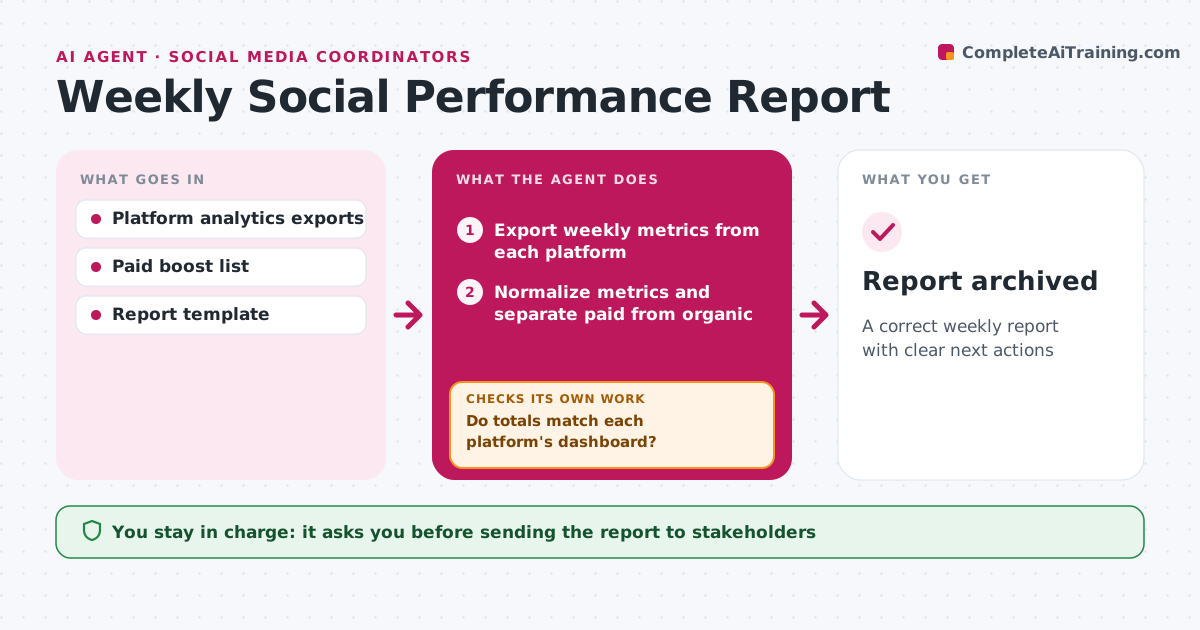
Pulling weekly numbers from each platform and making them comparable eats a Monday morning. This agent exports the past week's reach, engagement, clicks, follows and top posts from every platform. It normalizes the metrics, since each platform defines engagement differently, and separates paid from organic results. Then it checks its totals against each platform's own dashboard. If they do not match, it exports again or notes the gap in the report, for example delayed data. It compares the week with the four-week average, picks out top and bottom posts, and writes three findings and three actions. It only calls out changes over 20% so the report stays short. The manager edits and sends the report. Edge case: a boosted post is shown separately so paid reach does not hide weak organic results.
How it works
Follow the arrows from top to bottom. The orange dashed arrow is the loop: when a check fails, the agent goes back and tries again.
Read the steps as a list
- Monday report run
- Export weekly metrics from each platform
- Normalize metrics and separate paid from organic
- Do totals match each platform's dashboard?If not: re-export, or note delayed data in the report. Back to step 2.
- Compare with the four-week average and find top and bottom posts
- Draft findings and next actions
- Manager edits and sends the reportThe agent waits here for your OK.
- Report archived
How it decides
It calls out results that moved more than 20% from the four-week average and links them to the post formats behind them.
- Show paid and organic separately
- Only call out changes over 20%
- Suggest at most three actions
Make it yours
Every agent is a starting point. You choose these settings for your own situation.
- Metrics included
- Comparison window (default 4 weeks)
- Report day and time
- Callout threshold
What keeps you in control
It always asks you first
- Sending the report to stakeholders
Hard limits
- Read-only access to accounts
- Never sends reports itself
It stops when
- Done: report sent
- Stop: a platform's data unavailable for over 24 hours, note and continue
Set it up
We guide you through the set-up, step by step
Members get the full set-up guide for this agent. No technical skills needed: you copy, paste and upload.
- One set of instructions to paste into your AI, with the clicks for ChatGPT, Claude, Microsoft 365 Copilot, Gemini and Grok
- The agent then walks you through connecting your own data, one source at a time
- A downloadable copy with the flow chart, the rules and the full guide