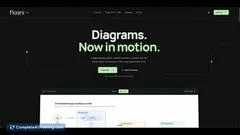
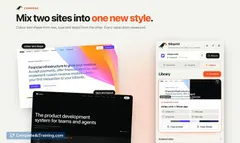
AI tool
Anima
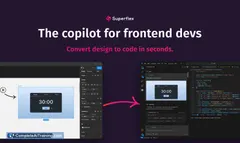
Anima turns rough ideas or Figma files into accurate, responsive frontend code that matches your design system, producing on-brand, production-ready UI components ready to ship.

About Anima
Anima is a UX design agent that turns Figma files, brand guidelines, or live websites into runnable frontend code. It produces on-brand, responsive UI that teams can iterate on in a shared playground and export or host when ready.
Review





Anima focuses on reducing the gap between design and development by generating code that reflects an existing design system and brand. The output is meant to be more than a prototype: usable HTML/CSS and components that developers can hand off or extend.
Key Features
- Design-to-code conversion from prompts, Figma links, or a cloned live site.
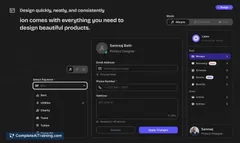
- Design system and brand matching so generated UI follows established styles and tokens.
- Playable playground for iteration with options to download code or publish prototypes with a custom domain.
- Integrations for team workflows: shared workspaces, extension to capture live sites, and handoff links for engineering workflows.
- Options to import both Figma-based and code-based design systems for tighter alignment with an existing stack.
Pricing and Value
Anima offers a free option with limited capabilities and paid tiers that unlock design system sync, team features, and hosting/export options. For individual users who only need occasional exports, the cost can feel high; for product teams that frequently move designs into production, the value increases because it reduces repetitive front-end work and shortens handoff cycles.
Pros
- Saves time by producing runnable front-end code that maps to a visual design.
- Maintains brand and design-system consistency when configured correctly.
- Facilitates collaboration between designers and engineers via shared projects and exportable artifacts.
- Supports multiple start points (prompt, Figma, clone a site) which is convenient for different workflows.
- Includes hosting and a playground for quick previews and client sharing without requiring recipients to sign up.
Cons
- The free tier is limited, which makes evaluating the export quality without subscribing more difficult for occasional users.
- Achieving clean breakpoints and ideal code often requires careful naming and some design adjustments in Figma.
- Advanced design system integrations and enterprise capabilities are gated behind higher tiers.
Ideal users are product teams, designers, and front-end engineers who want to speed up ideation and reduce repetitive handoff work while keeping a consistent brand. It fits best where teams plan to iterate frequently and can invest time to sync a design system for better long-term output quality.
Jobs Anima suits
We checked Anima against 500+ jobs; these get the most out of it.
Alternatives to Anima
Other tools that do the same main job. Our AI compared Anima with similar tools and kept the ones you could use instead.