AI tool
ChatGPT for Google Sheets
ChatGPT for Google Sheets - a free GPT-5.5 sidebar for Sheets and Excel. Stay in your spreadsheet: describe tasks in plain language to build, edit, clean and analyze data, trace and fix formulas, and get clear, ask-before-edit changes.
About ChatGPT for Google Sheets
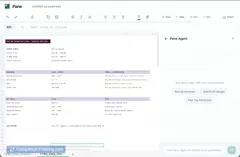
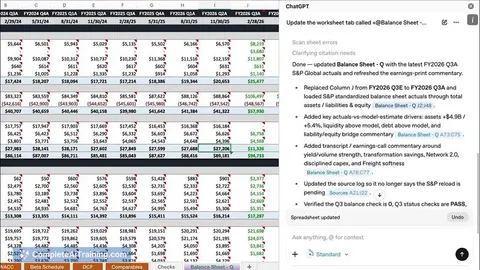
ChatGPT for Google Sheets is a sidebar add-in for Excel and Google Sheets that lets you interact with spreadsheets using plain language. It uses GPT-5.5 to read cells, suggest edits, write formulas, clean data, and build models directly inside your file.
Review
This review evaluates functionality, usability, and value for people who spend most of their day in spreadsheets. It focuses on how the add-in integrates with files, its transparency and permission workflow, and the practical benefits for analysts and operations teams.
Key Features
- In-sheet chat and edit: ask questions or give instructions in natural language and have the add-in read and modify cells without switching tools.
- Formula writing and debugging: generate formulas, trace errors, and receive plain-language explanations tied to specific cells.
- Data cleanup and standardization: clean messy data in place, preserving formatting and existing formulas where possible.
- Model and scenario building: generate full formatted sheets, scenario tabs, and comparison tables from plain instructions.
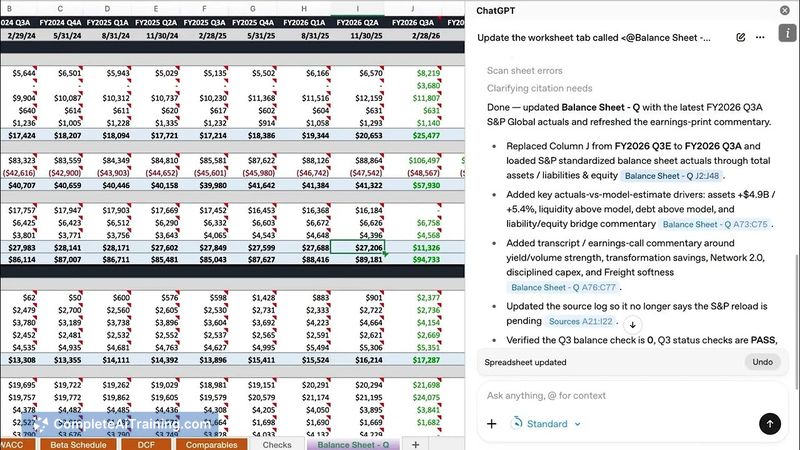
- Permission-before-change and audit trail: explains proposed edits, links changes to cells, and lets you accept or revert edits.
Pricing and Value
The add-in is available on Free and Go plans, and no longer restricted to higher-tier plans that previously limited access. Because it operates inside existing files and preserves formatting and formulas, it can save time by removing context-switching between a chat window and a spreadsheet. The permission-before-change workflow and visible audit trail improve the ability to verify changes before accepting them, increasing trust for model and formula edits.
Pros
- Makes formula creation and troubleshooting faster by working directly in the spreadsheet.
- Permission-before-change plus an edit audit trail helps users understand and control automated edits.
- Works on existing files and preserves formatting and formulas in most cases.
- Free availability on common plans broadens who can access the tool.
- Can connect to apps through a ChatGPT account where plan permissions permit integration.
Cons
- Automated edits still require human review, especially for complex financial models or legacy spreadsheets.
- Reliance on account-level connections and plan permissions can limit integrations for some users or organizations.
- Performance and accuracy may vary with very large or highly idiosyncratic spreadsheets.
Overall, ChatGPT for Google Sheets is best suited for analysts, operations leads, and finance professionals who want to speed up formula writing, data cleanup, and scenario building without leaving their files. It works well as an assistant to accelerate routine spreadsheet tasks while leaving final control and review to the user.
Jobs ChatGPT for Google Sheets suits
We checked ChatGPT for Google Sheets against 500+ jobs; these get the most out of it.
Alternatives to ChatGPT for Google Sheets
Other tools that do the same main job. Our AI compared ChatGPT for Google Sheets with similar tools and kept the ones you could use instead.