AI tool
Sheetsbase
Sheetsbase is a Chrome side-panel for Google Sheets that keeps you in context: generate formulas from plain English, explain existing formulas in simple terms, and browse common formulas and shortcuts without leaving your sheet.
About Sheetsbase
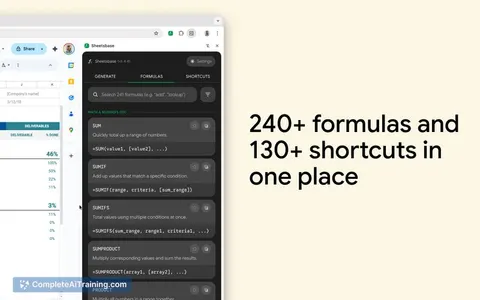
Sheetsbase is a Chrome extension that lives in the browser side panel and works alongside Google Sheets. It uses AI to generate formulas from plain English and to explain existing formulas in simple terms, plus it includes searchable directories of formulas and keyboard shortcuts.
Review
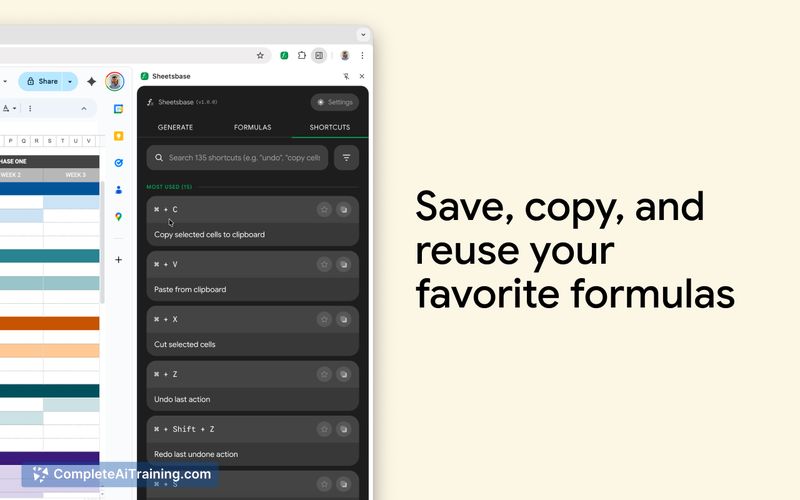
Sheetsbase aims to reduce context switching by keeping help and tools next to your spreadsheet, which can speed up routine formula tasks. As an early release, it shows clear focus on practical helper features like formula generation, plain-language explanations with small examples, and quick access to common formulas and shortcuts.
Key Features
- Chrome side-panel integration so tools remain next to the active Google Sheet.
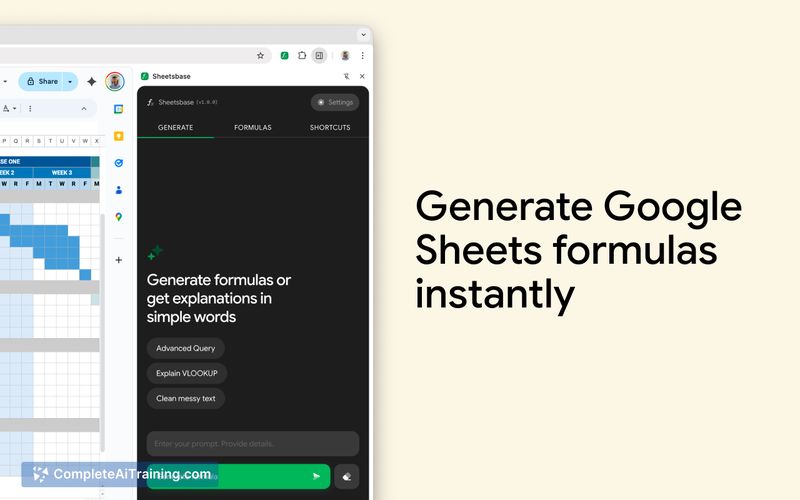
- AI formula generator that converts plain English prompts into working Google Sheets formulas.
- Plain-language explanations of existing formulas, with short examples for quick verification before pasting.
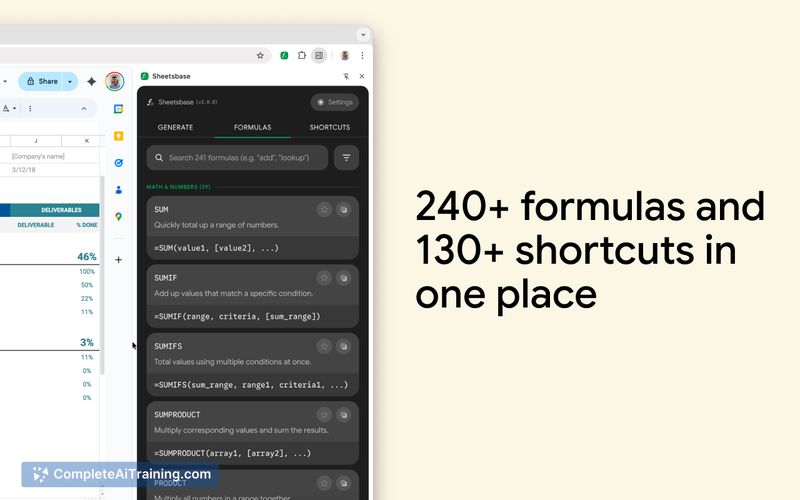
- Searchable directories of common formulas and keyboard shortcuts for faster lookup.
- Handling for tricky cases such as locale separators, date formats, and array formulas.
Pricing and Value
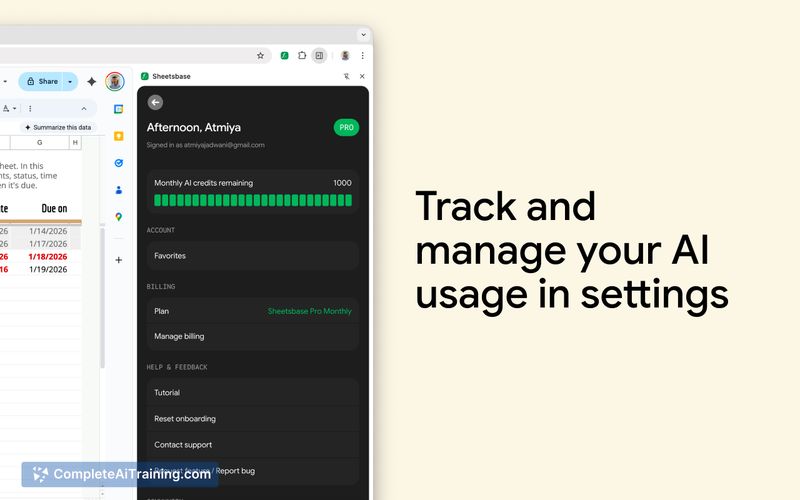
The launch information indicates free options are available and there is a limited-time launch code FEEDBACK50 for 50% off. Detailed tier pricing is not fully listed on the launch page, so prospective users should check the site for current subscription levels or limits. The core value is time saved and reduced tab switching when building or troubleshooting formulas directly next to your sheet.
Pros
- Keeps help and generation tools adjacent to the sheet, reducing interruptions from searching the web.
- Converts plain-English requests into formulas, which is helpful for users who struggle with syntax.
- Explains formulas in simple terms and provides examples so you can sanity-check results before inserting them.
- Includes searchable formula and shortcut libraries for quick reference.
- Addresses common edge cases like locales, dates, and arrays, which improves real-world reliability.
Cons
- Chrome-only extension limits use to Chromium-based browsers and desktop environments.
- As an early launch, some advanced features or integrations may be missing and the product is likely to evolve.
- AI-generated formulas still require user review for correctness in complex or unusual datasets.
Sheetsbase is best suited for frequent Google Sheets users, analysts, and anyone who wants faster formula lookup and generation without leaving the spreadsheet. It works well for people who spend time building or debugging formulas and prefer an in-context helper; teams that need multi-browser support or enterprise-grade integrations should verify compatibility before committing.
Jobs Sheetsbase suits
We checked Sheetsbase against 500+ jobs; these get the most out of it.