AI tool
Google Vids
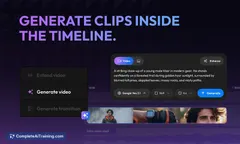
Google Vids streamlines business video creation with an AI-assisted platform featuring a Google Slides-like timeline, enabling easy chronological organization of Google Drive and other video assets for efficient collaboration.

About Google Vids
Google Vids is an AI-assisted video collaboration platform designed to simplify business video creation. It offers a timeline interface similar to Google Slides, allowing users to organize video assets from Google Drive and other sources in chronological order for streamlined editing.
Review

Google Vids aims to make video production more accessible within professional environments by integrating AI assistance and familiar tools. Its interface and workflow resemble other Google productivity apps, which can reduce the learning curve for existing Google Workspace users. This tool is positioned as a practical solution for teams looking to create and collaborate on videos efficiently.
Key Features
- AI-powered assistance to help automate parts of the video creation process.
- Timeline editor similar to Google Slides, enabling easy chronological arrangement of clips and assets.
- Seamless integration with Google Drive for easy access to existing video and media files.
- Collaboration features that support multiple users working on video projects simultaneously.
- Support within Google Workspace to enhance workflow continuity for business users.
Pricing and Value
Google Vids is currently available as part of Google Workspace, though specific pricing details have not been widely publicized. The tool appears to be positioned as an additional feature within existing Google Workspace subscriptions, potentially adding value for businesses already invested in the Google ecosystem. Users should consider their current Google Workspace plan to determine if access to Google Vids is included or if additional licensing is required.
Pros
- Familiar interface that aligns with other Google productivity tools, easing adoption.
- Good integration with Google Drive allows smooth access to existing content.
- AI assistance helps speed up video creation without needing advanced editing skills.
- Collaboration support facilitates team projects and feedback in real time.
- Convenient for businesses already using Google Workspace for seamless workflow.
Cons
- Limited information available about pricing and access may cause uncertainty for new users.
- Customization and advanced editing features appear somewhat basic compared to specialized video editing software.
- Currently focused on business users, which may limit appeal for individual creators or non-enterprise use.
Overall, Google Vids is best suited for teams and organizations that rely heavily on Google Workspace and want to streamline their video creation process without investing in separate complex video editing software. Its simplicity and collaboration features make it appealing for business communications, training videos, and presentations, especially for users seeking a straightforward solution integrated with their existing tools.
Jobs Google Vids suits
We checked Google Vids against 500+ jobs; these get the most out of it.
Alternatives to Google Vids
Other tools that do the same main job. Our AI compared Google Vids with similar tools and kept the ones you could use instead.