AI tool
happycapy
Happycapy turns your browser or phone into an agent-native workstation using Claude Code, with no setup, no learning curve and secure access. One GUI for coding, design and everyday tasks so anyone can get real work done.

About happycapy
happycapy is an agent-native computer that runs in your browser and on mobile with no setup or plugins. Powered by Claude Code, it offers a GUI aimed at everyday users so tasks from coding and design to document work can be handled in one place.
Review





happycapy focuses on making agent-driven automation approachable: a web-first interface, per-user sandboxing, and a skills system let people delegate work to agents without managing infrastructure. The product combines AI agents, templates, and a built-in database to reduce app switching and speed up common workflows.
Key Features
- Browser and mobile access with no installation or setup required.
- Powered by Claude Code for deep-context AI coding and agent behavior.
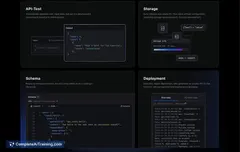
- Independent sandbox per user session with visible resource metrics (CPU, memory, storage).
- Parallel agent execution and an extensible skills system for composing tasks.
- Built-in templates, database, and UI elements to prototype and launch quickly.
Pricing and Value
happycapy offers a free tier with limited starter credits and moves to pay-as-you-go for heavier usage. There are subscription options that cover more model usage, including an unlimited plan option for Claude Code and other embedded models. For many users, the value comes from reduced setup and infrastructure costs, faster iteration, and fewer tool integrations-though compute-heavy projects will increase costs once free credits are exhausted.
Pros
- Fast, low-friction onboarding: open in a browser and start using agents immediately.
- All-in-one approach reduces switching between separate tools (AI, database, UI).
- Sandboxing and per-user isolation help with safety and session privacy.
- Templates and built-in workflows speed up prototyping and routine tasks.
- Parallel task execution can reduce waiting times compared with sequential agents.
Cons
- Limited visibility into intermediate steps for long-running tasks makes debugging harder.
- Free starter credits may not be enough to complete larger projects without upgrading.
- Some areas (deeper customization, export/deploy polish, desktop integrations) still feel like they could be more mature.
Overall, happycapy is a strong fit for creators, solo builders, and small teams who want to offload repetitive work and prototype quickly without managing infrastructure. If you need transparent step-by-step debugging for complex, long-running technical processes, plan to supplement it with tools that expose intermediate reasoning and logs.
Jobs happycapy suits
We checked happycapy against 500+ jobs; these get the most out of it.
Alternatives to happycapy
Other tools that do the same main job. Our AI compared happycapy with similar tools and kept the ones you could use instead.