AI tool
Onetab
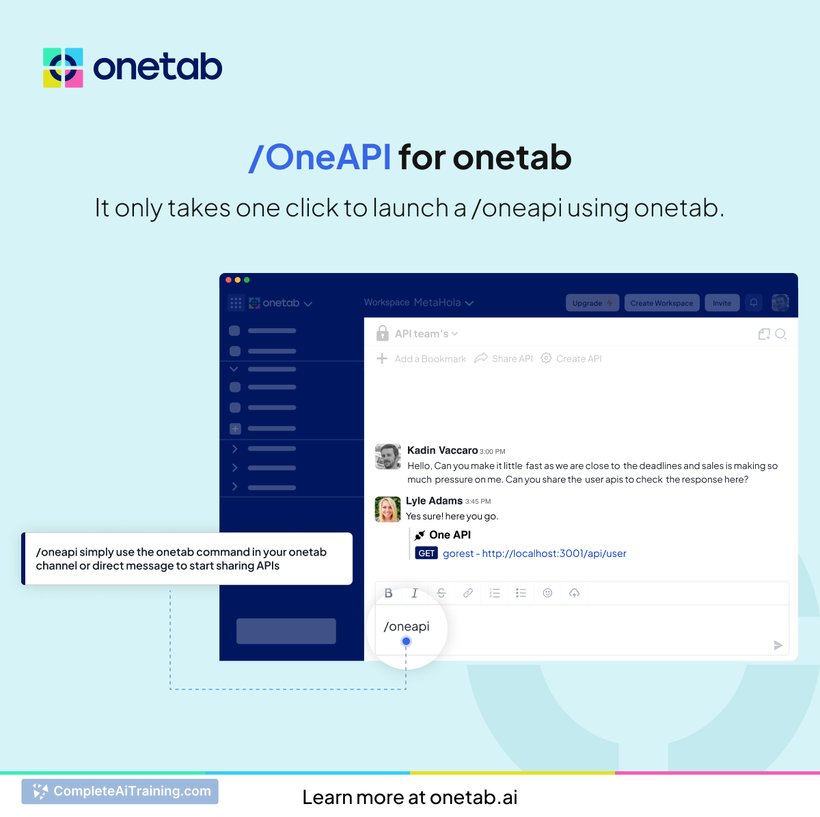
Onetab is a unified communication and collaboration platform that connects developers and project managers. It features a custom AI/LLM to streamline coordination and assist with key tasks, enhancing team productivity in a single environment.

About Onetab
Onetab is a browser extension designed to help users manage and organize multiple open tabs efficiently. By consolidating all open tabs into a single list, it reduces memory usage and keeps browsing sessions clutter-free.
Review


Onetab offers a simple yet effective solution for users who frequently work with numerous browser tabs. It provides a quick way to save and restore tabs, improving browser performance and making tab management more straightforward.
Key Features
- Converts all open tabs into a single list to save memory and reduce clutter.
- Allows users to restore tabs individually or all at once from the saved list.
- Supports sharing of tab lists via URLs, enabling easy collaboration or saving for later use.
- Provides an option to lock tabs to prevent accidental closure.
- Simple interface that integrates smoothly with most popular browsers.
Pricing and Value
Onetab is available as a free browser extension, offering its core features without any cost. This makes it a valuable tool for users seeking basic tab management without subscription fees or premium plans. The free access to essential functions provides good value, especially for users who want to improve browser speed and organization without additional expenses.
Pros
- Significantly reduces browser memory usage by consolidating tabs.
- Easy to use with a straightforward, clean interface.
- Supports sharing and exporting tab lists for convenience.
- Free to use without limitations on core features.
- Compatible with multiple browsers.
Cons
- Lacks advanced features such as automatic tab grouping or scheduling.
- Interface may feel minimalistic for users seeking more customization.
- Does not offer cloud syncing of tabs across devices.
Overall, Onetab is well-suited for users who need a simple tool to manage a large number of browser tabs and improve browser performance. It works best for individuals looking to reduce clutter and memory usage without complex features or costs. Those who require more advanced tab management may need to explore additional options.
Jobs Onetab suits
We checked Onetab against 500+ jobs; these get the most out of it.
Alternatives to Onetab
Other tools that do the same main job. Our AI compared Onetab with similar tools and kept the ones you could use instead.