AI tool
Routine AI
Routine AI lets users control their tasks, calendar, notes, and projects through natural voice commands. It helps professionals schedule meetings, capture ideas, and automate repetitive work without typing.
About Routine AI
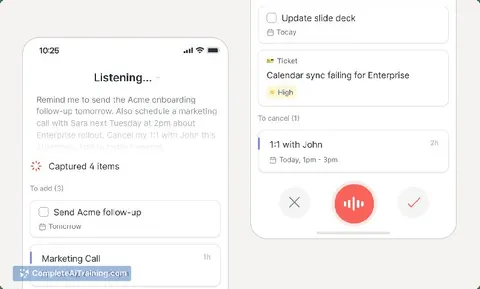
Routine AI is a voice-controlled assistant inside the Routine platform - an all-in-one workspace that pulls together tasks, projects, calendars, notes, wikis, and contacts. You talk to it naturally to schedule meetings, capture ideas, add reminders, search your knowledge base, and update projects. The assistant also includes AI agents and automations that handle repetitive work across those same areas.
Review
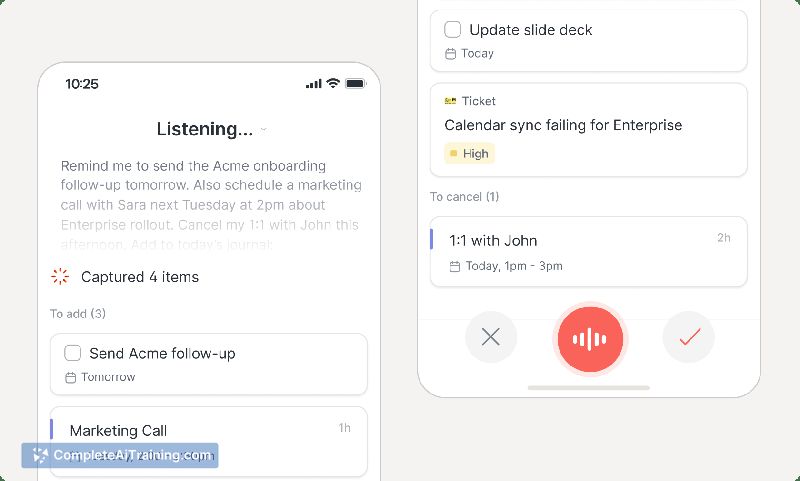
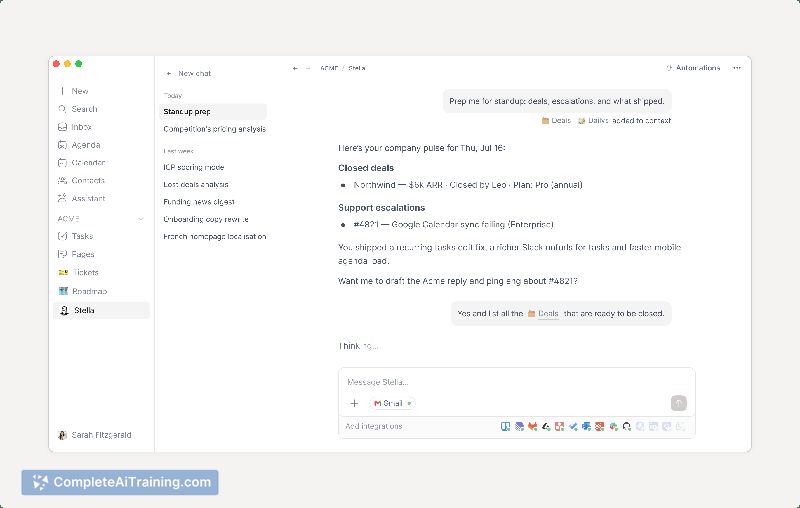

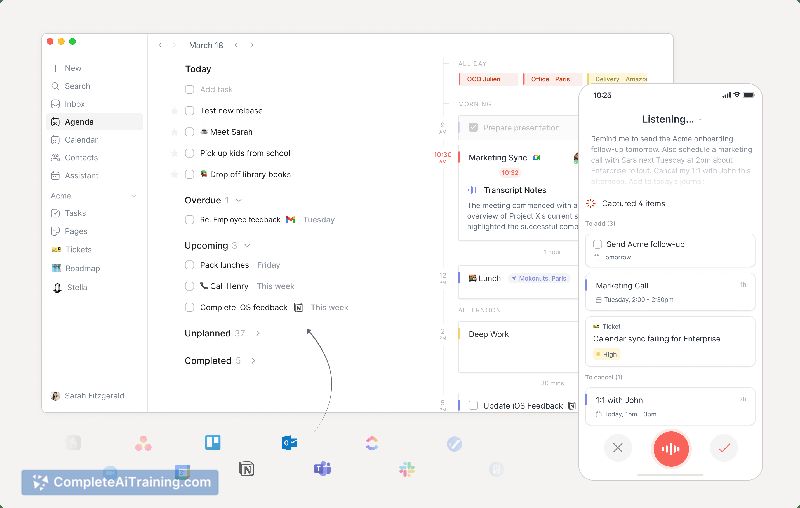
Routine AI launched as the fifth major update to the Routine platform, bringing voice commands to the existing productivity tools. It processes spoken instructions, manipulates calendar entries, tasks, and notes, then presents a summary of planned actions before executing them. This review looks at what the tool can do today and where it might fit into a professional workflow.
Key Features
- Voice-driven task and calendar management: schedule meetings, move appointments, block focus time, and set reminders using natural language.
- Idea capture and note-taking: speak to create notes, log ideas, or search across your documents and wiki pages.
- AI agents and automations: the system can automate repetitive work across tasks, projects, calendar, and notes (for example, rescheduling or updating project statuses).
- Review step before execution: after interpreting a command, the assistant lists the changes it plans to make. You can modify, remove, or approve them before anything is applied.
- Unified platform context: because Routine already holds your tasks, contacts, meetings, and notes, the assistant can reference that information to carry out complex requests like "move my afternoon meetings to Friday and block two hours tomorrow morning for the pitch deck."
Pricing and Value
Routine AI is currently free to use. No pricing tiers or subscription details have been announced for this feature; it's available as part of the Routine platform, which itself is described as free to try but doesn't have long-term pricing specified in the launch materials.
Pros
- Hands-free entry cuts down the friction of capturing quick tasks or ideas on the go.
- The action summary gives you a chance to catch misinterpretations before changes are applied.
- Works across the entire Routine workspace, so a single voice command can touch calendar, tasks, and notes simultaneously.
- No additional cost to use the voice assistant at this time.
- Can handle multi-step instructions in one utterance, like rescheduling several meetings and creating a reminder in the same sentence.
Cons
- Voice recognition may occasionally misinterpret names, dates, or complex commands, requiring manual correction afterward.
- As a newly launched feature, it inherits the broader platform's occasional bugs and rough edges, particularly on mobile.
- Not well suited for professionals who work in noisy environments or who cannot speak aloud during their workflow, or for those who don't use the Routine platform for task and calendar management.
Routine AI fits professionals already using Routine who want to speed up task capture and scheduling without typing. It's also worth a look for anyone seeking a voice-controlled layer across an integrated workspace. Teams that rely on separate specialized tools or need highly polished mobile voice input may find the current implementation less practical.
Jobs Routine AI suits
Useful in almost any job. We checked Routine AI against 500+ jobs; these get the most out of it.
Alternatives to Routine AI
Other tools that do the same main job. Our AI compared Routine AI with similar tools and kept the ones you could use instead.