MCP server · Productivity
superPDF MCP server
Lets your AI read, convert, edit and compare PDFs saved on your own computer, without uploading them.
superPDF is a helper that lets your AI assistant work with PDF files on your computer. You can ask it to read an invoice, pull out a table, or turn a report into a Word file. It is handy for anyone who deals with PDFs at work and does not want to upload private documents to a website.
What is an MCP server? The 30-second version
On its own, your AI can only chat with you. An MCP server is a small helper program that gives your AI a new skill or a connection to something else. This one connects your AI to the PDF files in a folder you choose on your own computer. So when you ask about a PDF, the AI can actually open it, read it, and do things with it for you.
What this MCP server does
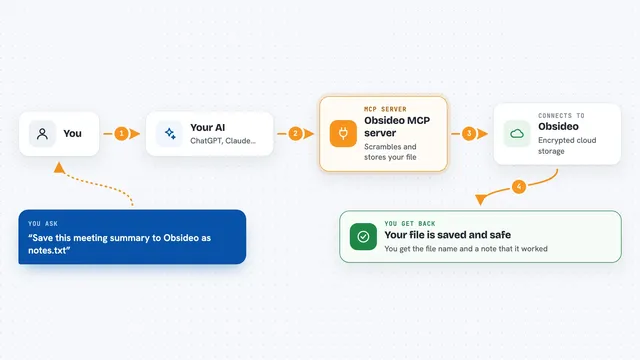
You ask your AI something about a PDF, like "read this report and give me the tables". The AI passes your request to this helper program running on your computer. The helper opens the PDF from the folder you allowed, reads its text, tables and charts, and works out the structure. It sends the result back to your AI, which explains it to you or writes a new file. Everything stays on your machine, nothing is uploaded.
What you can do with it
- Read a PDF and give you the text page by page
- Pull tables and charts out as Excel, CSV, JSON or Markdown
- Turn a PDF into an editable Word, PowerPoint or EPUB file
- Merge several PDFs into one, or split one into separate pages
- Compare two versions of a PDF and show what changed
- Fill in PDF form fields by name
- Remove hidden metadata like author and creation date
Try asking your AI
- “Read invoice.pdf in my superPDF folder and give me the line items as a table”
- “Convert quarterly-report.pdf into a Word document”
- “Compare contract-v1.pdf and contract-v2.pdf and tell me what changed”
- “Merge all the PDFs in my superPDF folder into one file”
What it gives back to you
You get answers in the chat, like a summary of the text, a table of numbers, or a list of what changed between two files. When you ask for a new file, like a Word document or an Excel sheet, it saves that file into the folder you allowed. It never overwrites an existing file, it always writes a new one. For simple questions you just see the answer, for bigger jobs you get a file you can open yourself.
Before you start
What you need
- Node.js 22 or later installed on your computer
- A folder on your computer that you allow the helper to read, like ~/Documents/superPDF
- An AI assistant that supports MCP, such as Claude Desktop, Claude Code or Cursor
Good to know
It can create, change and delete files inside the folder you allow, so point it at a folder you are happy for it to work in, and keep backups of anything important.
Install it with your AI
Add superPDF MCP server to your AI, no technical skills needed
You don't install anything by hand. You copy one prompt, paste it into an AI that can work on your computer, and it checks, installs and connects the server for you, asking you when it needs something.
Sign in to get the install prompt
Members get a ready-made prompt that lets the Claude desktop app check superPDF MCP server, install it and connect it for them, step by step. You don't need any technical skills: you copy, paste and answer a few questions. Your connected AI can also find and install any of the 4,361 MCP servers here for you.
Who it's for
Anyone who works with PDFs at the office, like admin staff, analysts, accountants or project managers, and wants their AI to help without uploading private files.