
MCP server · Developer tools
local-ydb-toolkit MCP server
by astandrik
Lets your AI set up, check, back up, and upgrade a local YDB database running in Docker.
This is a helper for people who run a local YDB database inside Docker on their own computer or on a server they reach over SSH. It lets your AI assistant do the boring setup and checking work for you, like starting the database, looking at logs, and taking backups. It is handy if you already work with YDB and want less typing.
What is an MCP server? The 30-second version
On its own, your AI can only chat. An MCP server is a small helper program that gives your AI a new skill or a connection to another tool. This helper connects your AI to a local YDB database running in Docker, so the AI can look things up or make changes there when you ask. You install it once, and then you just talk to your AI in plain words.
What this MCP server does
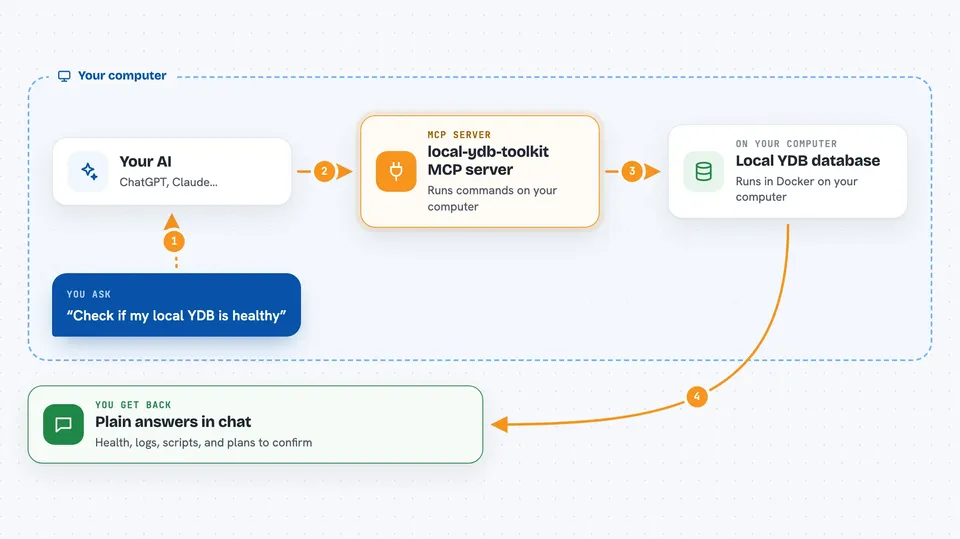
You ask your AI something like check if my local YDB is healthy. The AI uses this helper, which runs commands against your Docker setup or over SSH to a remote machine. The helper talks to Docker and to the YDB database, gathers the answers, and hands them back to the AI. The AI then explains the result to you in the chat. Anything that changes your database is done in two steps: first a plan, then a confirmation.
 Click to zoom
What you can do with it
- Check whether your local YDB Docker containers are running
- Look at recent container logs when something fails
- Run a health check on your database and see the issues
- Generate or apply table creation scripts
- Dump and restore your database data
- Add or remove dynamic nodes
- Upgrade your local YDB to a newer version
Try asking your AI
- “Check the status of my local YDB setup”
- “Show me the last 100 lines of the container logs”
- “Run a health check on the tenant /local/test”
- “List the available versions of the local-ydb image”
What it gives back to you
You get back plain answers in the chat: whether things are healthy, lists of containers or nodes, log excerpts, generated SQL scripts, and short summaries of what was found. For changes, you first see a plan describing what would happen, and nothing runs until you confirm. After a confirmed change, you get a short report of what was done.
Before you start
What you need
- Docker installed and running on your machine or the remote host
- Node.js 20.19 or newer and npx
- A local-ydb Docker deployment you want to manage
- SSH access if you manage a remote host
Good to know
Some tools can change or delete things in your local YDB database, so always read the plan and only confirm when you are sure.
Install it with your AI
Add local-ydb-toolkit MCP server to your AI, no technical skills needed
You don't install anything by hand. You copy one prompt, paste it into an AI that can work on your computer, and it checks, installs and connects the server for you, asking you when it needs something.
Sign in to get the install prompt
Members get a ready-made prompt that lets the Claude desktop app check local-ydb-toolkit MCP server, install it and connect it for them, step by step. You don't need any technical skills: you copy, paste and answer a few questions. Your connected AI can also find and install any of the 4,361 MCP servers here for you.
Who it's for
Developers and database people who run a local YDB in Docker and want their AI assistant to handle the routine setup, checks, and backups.


