MCP server · Developer tools
Ramen MCP server
by bkraad47
Run your team's own Python MCP tools on your cloud, with sign-in, guardrails and an audit log.
Ramen is a self-hosted platform for running your own MCP tools. You keep your tools in a git repo, and Ramen turns that repo into workers running on Google Cloud, AWS, Azure or your own laptop. It is handy for teams that want their AI helpers to use company tools, but want control over who can call what.
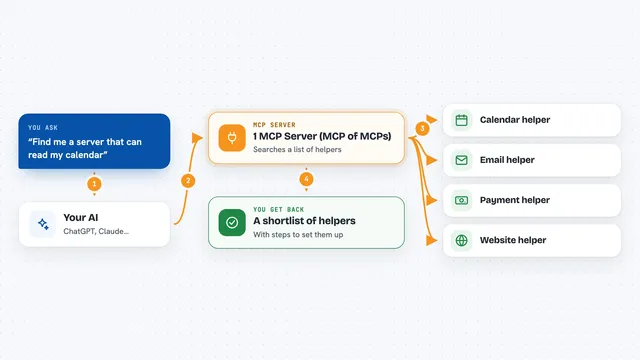
What is an MCP server? The 30-second version
On its own, your AI can only chat. An MCP server is a small helper program that gives your AI a new skill or a connection to an app or service. Ramen is that helper, but for tools your own team writes in Python. Once it is connected, your AI can call those tools for you when you ask, and Ramen keeps track of who called what.
What this MCP server does
You ask your AI something that needs a company tool, like a calculator or an internal lookup. Your AI sends the request to Ramen over a web address. Ramen checks who you are, checks the rules for that tool, and then runs the Python code your team wrote. The answer comes back into your chat, and Ramen writes a line in its log for every call.
What you can do with it
- Run your team's own Python tools from a git repo
- Sign in with Microsoft Entra ID, Google Workspace or a Ramen password
- Give different groups different roles and per-tool access
- Roll out a new version as a canary first, then to everyone
- Add guardrail checks before a tool runs and after it answers
- Scale workers up and down automatically based on load
- Keep an audit log of every MCP call
Try asking your AI
- “Use the demo calculator tool to add 2 and 3”
- “List the tools available in my group”
- “Run the internal lookup tool for customer 1042”
- “Show me the last few calls made to this tool”
What it gives back to you
You get the tool's answer back in your chat, as text, a number or a small structured result. If the tool is blocked by a guardrail, you get a readable error message instead. Ramen also keeps a log line for each call, which admins can download from the console.
Before you start
What you need
- A git repo with your Python tools (or the demo repo to try it)
- Docker with compose v2, uv, git and make for the local quickstart
- A cloud account (GCP, AWS or Azure) if you want to run it in the cloud
- An identity provider like Entra ID or Google Workspace if you want people to sign in
Good to know
Ramen runs code from your git repo and can change things in your cloud, so only point it at repos and secrets you trust.
Install it with your AI
Add Ramen MCP server to your AI, no technical skills needed
You don't install anything by hand. You copy one prompt, paste it into an AI that can work on your computer, and it checks, installs and connects the server for you, asking you when it needs something.
Sign in to get the install prompt
Members get a ready-made prompt that lets the Claude desktop app check Ramen MCP server, install it and connect it for them, step by step. You don't need any technical skills: you copy, paste and answer a few questions. Your connected AI can also find and install any of the 4,609 MCP servers here for you.
Who it's for
Platform and infrastructure teams who want to give their colleagues safe, controlled access to company tools through AI.