
MCP server · Social media
VK (VKontakte) MCP server
by bulatko
Lets your AI read and post on VK: profiles, walls, communities, photos, friends and stats.
This is a helper that connects your AI assistant to VK, the big Russian social network also called VKontakte. Once it is set up, you can ask your AI in normal words to look up a profile, read a community wall or publish a post, and it does it for you. It is handy if you manage a VK community or keep an eye on one for work.
What is an MCP server? The 30-second version
On its own, your AI can only chat with you. An MCP server is a small helper program that gives your AI a new skill or a connection to an app or service. This one connects your AI to VK, so it can look things up there or do things there when you ask. You stay in the conversation; the helper does the talking to VK behind the scenes.
What this MCP server does
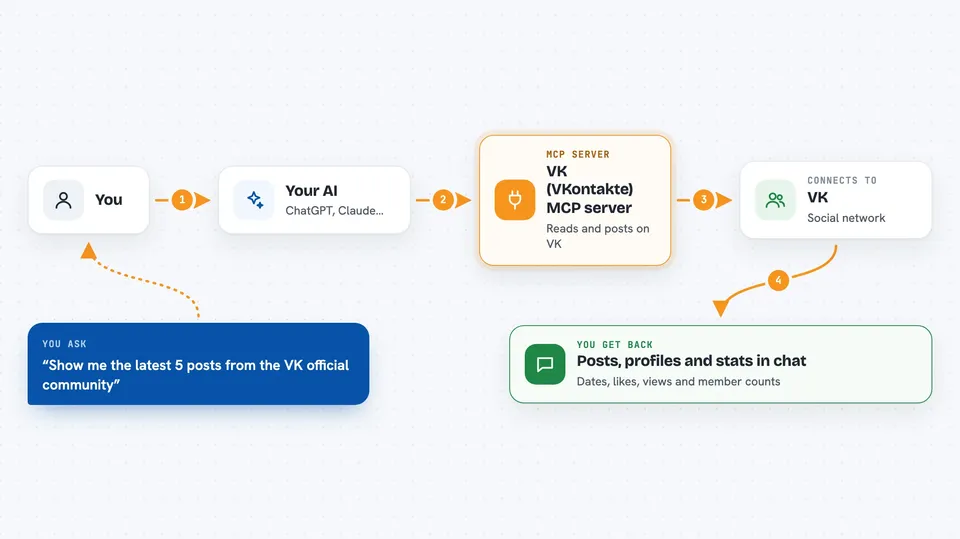
You ask your AI something about VK in plain words. The AI picks the right action from this helper, for example reading a wall or searching for a community. The helper then talks to VK using your access token, which is like a key that proves it is allowed. VK sends the answer back, and the helper hands it to your AI as tidy data. Your AI turns that into a normal reply in the chat, with names, numbers and posts.
 Click to zoom
What you can do with it
- Look up a VK profile by name or ID
- Read the latest posts from a person or community wall
- Search for communities by topic and compare them
- See who liked a post and how many reactions it got
- List the communities you are a member of
- Read your newsfeed and your friends list
- Publish, edit or delete a post on a wall you control
Try asking your AI
- “Show me the latest 5 posts from the VK official community”
- “How many members does the VK Mini Apps community have, and how are its recent posts doing?”
- “Find communities about photography and tell me which ones look biggest”
- “Post 'Hello World!' on my wall”
What it gives back to you
You get answers in the chat: profile details, lists of posts with dates, likes and views, community sizes, or a short summary your AI writes from the data. When it changes something, like publishing a post, it tells you what it did. Numbers and names come back as clean fields, so your AI can count, rank and compare them instead of guessing.
Before you start
What you need
- A VK account
- A VK access token. For reading public pages a service key or a login token works; for posting, editing or uploading photos you need a community token, which you create in a community you manage under Manage, API usage, Access tokens
- Node.js installed if you run it with npx, or the one-click bundle for Claude Desktop which needs nothing extra
Good to know
Some actions post, edit, delete or join on VK using your token, so check before you approve them, and never share your access token with anyone.
Install it with your AI
Add VK (VKontakte) MCP server to your AI, no technical skills needed
You don't install anything by hand. You copy one prompt, paste it into an AI that can work on your computer, and it checks, installs and connects the server for you, asking you when it needs something.
Sign in to get the install prompt
Members get a ready-made prompt that lets the Claude desktop app check VK (VKontakte) MCP server, install it and connect it for them, step by step. You don't need any technical skills: you copy, paste and answer a few questions. Your connected AI can also find and install any of the 4,361 MCP servers here for you.
Who it's for
Community managers, social media people and anyone who works with VK pages and wants their AI to read or update them without clicking around.





