MCP server · Research · official
CleanedWeb MCP server
by cleanedweb · official
Lets your AI pull tidy lists of records, like listings or jobs, from public websites for you.
CleanedWeb is a service that turns website pages into clean, ready-to-use lists of records. This MCP server connects your AI to CleanedWeb so it can search for the right source, check what it returns, and then fetch the records for you. It is handy if you often need lists from websites but do not want to copy and paste them by hand.
What is an MCP server? The 30-second version
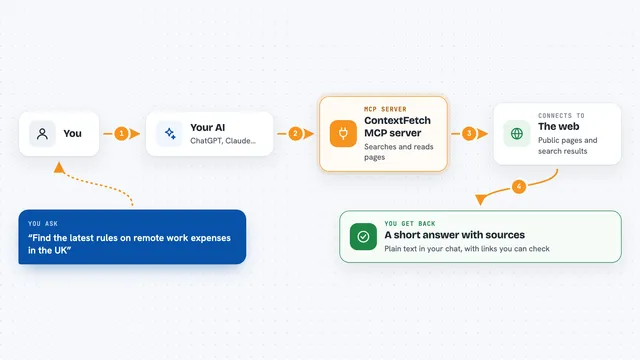
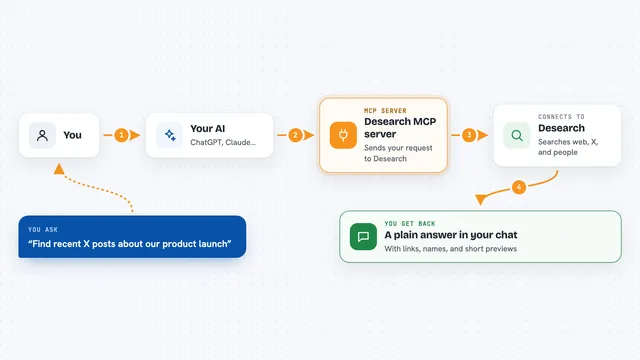
On its own, your AI can only chat with you using what it already knows. An MCP server is a small helper program that gives your AI a new skill or a connection to another service. This one connects your AI to CleanedWeb, a catalog of ready-made data feeds from public websites. Once it is connected, you can ask your AI for records from a site, and it will go and get them for you.
What this MCP server does
You ask your AI for something like used car listings on a certain site, or the newest articles from a blog. Your AI uses this helper to search CleanedWeb's catalog for a matching data feed, and shows you what fields it can return and some sample records. If you are happy with it, your AI runs the feed and brings back the actual records. You get a clean list in the chat, not a messy web page to read through. If no feed exists for the site you want, your AI can ask CleanedWeb to add one.
What you can do with it
- Search for a data feed that matches a website and the fields you need
- Preview the fields and sample records before running anything
- Fetch live records like listings, products, jobs, articles, reviews or profiles
- Follow the progress of a run and stop it if needed
- Request a new website to be added when the catalog does not cover it
- Schedule runs to happen again later, if you use an API key
Try asking your AI
- “Find an API for used car listings on Blocket with price, year and mileage, and show me five.”
- “Get the newest DEV Community articles with their tags and reading time.”
- “Is there an API for Thomann product reviews? Show me its sample records.”
- “There's no API for job postings on example.com yet. Request one with title, location and salary.”
What it gives back to you
You get back a list of records, each with the fields you asked for, shown as a clean table or list in the chat. Before running anything, you can also see a preview of the fields and a few sample records. If you ask to follow a run, you get its status and the items it has collected so far. Everything comes back as plain data, not as a web page you have to read.
Before you start
What you need
- A CleanedWeb account (you sign in through your browser the first time)
- A client that supports MCP connectors, like Claude, ChatGPT, Cursor or VS Code
- Optional: an API key from the CleanedWeb console if you prefer not to sign in each time
Good to know
Running a feed uses your CleanedWeb credit, so check the sample records first and keep the number of records small while you test.
Install it with your AI
Add CleanedWeb MCP server to your AI, no technical skills needed
You don't install anything by hand. You copy one prompt, paste it into an AI that can work on your computer, and it checks, installs and connects the server for you, asking you when it needs something.
Sign in to get the install prompt
Members get a ready-made prompt that lets the Claude desktop app check CleanedWeb MCP server, install it and connect it for them, step by step. You don't need any technical skills: you copy, paste and answer a few questions. Your connected AI can also find and install any of the 5,030 MCP servers here for you.
Who it's for
Anyone who regularly needs lists of records from public websites, like market researchers, recruiters, analysts or small business owners.