MCP server · Analytics · official
bisibility MCP server
by CorgiCorner · official
Lets your AI look up Google rankings, keywords, backlinks, and Search Console data for your sites.
This is a helper for your AI that connects it to bisibility, an open-source SEO platform. Once it is set up, you can ask your AI about your rankings, keywords, and backlinks, and it will fetch the answers for you. It is handy if you do SEO work and already use bisibility, or want to try it.
What is an MCP server? The 30-second version
On its own, your AI can only chat with you. An MCP server is a small helper program that gives your AI a new skill or a connection to an app or service. This one connects your AI to bisibility, so it can look up your SEO data and do things there when you ask. Think of it as a bridge between your AI and your bisibility account.
What this MCP server does
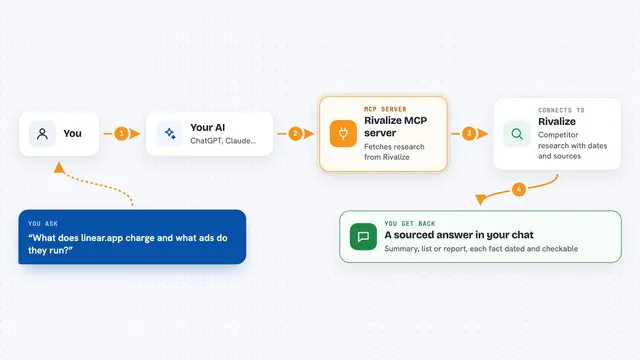
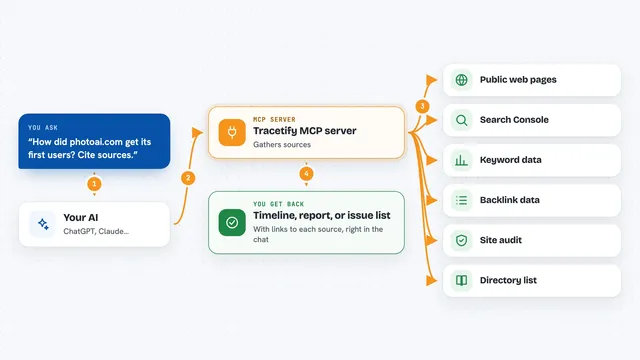
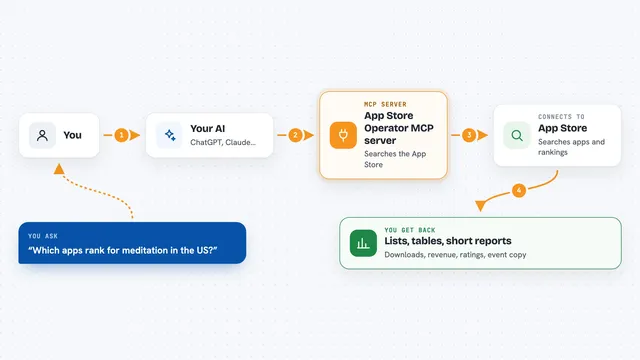
You ask your AI something like "show me my top keywords" or "check my rankings for this page". Your AI sends that request to this helper, which talks to bisibility using your API key. bisibility does the work, like running a rank check or fetching backlink data, and sends the results back. Your AI then shows you the answer in plain language. For paid lookups, it can show you the cost first so you can decide.
What you can do with it
- Check where your site ranks in Google for your keywords
- Research new keywords and see search volume and difficulty
- Analyze backlinks pointing to your site or a competitor's
- Pull data from Google Search Console
- Track your rankings over time
- See how your brand appears in AI answers
- Run a site audit to find issues
Try asking your AI
- “What are my top 10 keywords by search volume?”
- “Show me the backlinks for example.com from the last month”
- “How did my rankings change for 'seo tools' over the past week?”
- “Estimate the cost to analyze the domain example.com”
What it gives back to you
You get back lists, tables, numbers, and short summaries right in the chat. For example, a list of keywords with their positions, or a count of backlinks. If you ask for a cost estimate, it shows you the price before you commit. Some tools can also make changes, like adding a keyword, and will confirm what was done.
Before you start
What you need
- A bisibility account (you can self-host or use their cloud)
- A bisibility API key (a kind of password for apps; you create it in your bisibility account)
- The base URL for your bisibility API (if you self-host)
- Node.js 18 or newer on your computer (if you run it locally)
Good to know
If you give it a key that can write, your AI can change or delete your project data, and paid lookups can spend your provider budget, so use a read-only key when possible and check costs first.
Install it with your AI
Add bisibility MCP server to your AI, no technical skills needed
You don't install anything by hand. You copy one prompt, paste it into an AI that can work on your computer, and it checks, installs and connects the server for you, asking you when it needs something.
Sign in to get the install prompt
Members get a ready-made prompt that lets the Claude desktop app check bisibility MCP server, install it and connect it for them, step by step. You don't need any technical skills: you copy, paste and answer a few questions. Your connected AI can also find and install any of the 4,960 MCP servers here for you.
Who it's for
SEO specialists, marketers, and site owners who use bisibility and want to query their data through an AI assistant.