
MCP server · Developer tools
Synapse Code MCP server
by Eltortilla1
Lets your AI read and understand your local code project without you pasting files in.
Synapse is a small helper that connects your AI assistant to a code project on your own computer. Instead of copying and pasting files into the chat, you let the AI look things up itself. It is handy if you work with code and want quicker, more accurate answers about a project.
What is an MCP server? The 30-second version
On its own, your AI can only chat with what you type or paste. An MCP server is a small helper program that gives your AI a new skill or a connection to something else. This one connects your AI to a code project stored on your machine, so it can look through the files when you ask. You stay in the chat, and the helper does the looking.
What this MCP server does
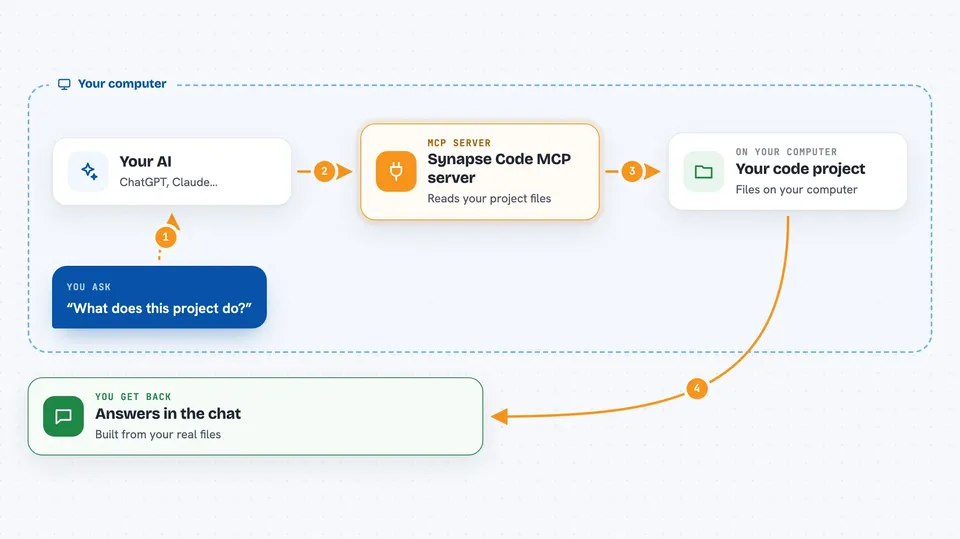
You ask your AI a question about your project, like what a file does or what changed recently. The AI sends that request to this helper, which reads the files on your computer. The helper builds a short summary of the code, such as a list of functions and their names, or a list of changed files. It sends that summary back to the AI, and the AI explains it to you in the chat. Nothing is uploaded anywhere, and the helper only reads, never changes your files.
 Click to zoom
What you can do with it
- Get a map of all the main functions, classes and types in a project
- Read one file together with the files it depends on
- See a file's function names and signatures without the full code
- List files that changed since a certain point, like since the main branch
- Search the whole project for a word or pattern
- View the folder structure of the project
- Ask the AI to explain a piece of code using the real file contents
Try asking your AI
- “Give me an overview of this project and what it does”
- “Show me the functions in src/services/user-service.ts without the full code”
- “What files changed since main, and can you summarise the changes?”
- “Find where handlePayment is defined and used in this project”
What it gives back to you
You get answers in the chat, built from real information in your project. That can be a list of files and functions, a short summary of what changed, search results with file names and line numbers, or an explanation of a file. The AI writes it in normal sentences, so you do not have to read raw code unless you want to. It never shows you anything outside the project folder you pointed it at.
Before you start
What you need
- Node.js version 18 or newer installed on your computer
- Git installed if you want to see changed files
- The path to the project folder you want the AI to read
- Optionally, ripgrep for faster searching (it works without it)
Good to know
It only reads your project, never changes or deletes anything, and it stays inside the folder you point it at.
Install it with your AI
Add Synapse Code MCP server to your AI, no technical skills needed
You don't install anything by hand. You copy one prompt, paste it into an AI that can work on your computer, and it checks, installs and connects the server for you, asking you when it needs something.
Sign in to get the install prompt
Members get a ready-made prompt that lets the Claude desktop app check Synapse Code MCP server, install it and connect it for them, step by step. You don't need any technical skills: you copy, paste and answer a few questions. Your connected AI can also find and install any of the 4,609 MCP servers here for you.
Who it's for
Developers and anyone who works with code and wants their AI assistant to understand a project without pasting files.




