MCP server · Analytics
MCP Analytics server
Ask your AI to run real statistical analysis on your data and get back a chart-filled report you can cite.

MCP Analytics is a helper that lets your AI do proper statistical work on your data, not just talk about it. You bring a spreadsheet or connect a live source like Google Analytics, ask a plain question, and it builds a custom analysis with charts and written insights. It is handy for anyone who has data and needs an answer but is not a statistician.
What is an MCP server? The 30-second version
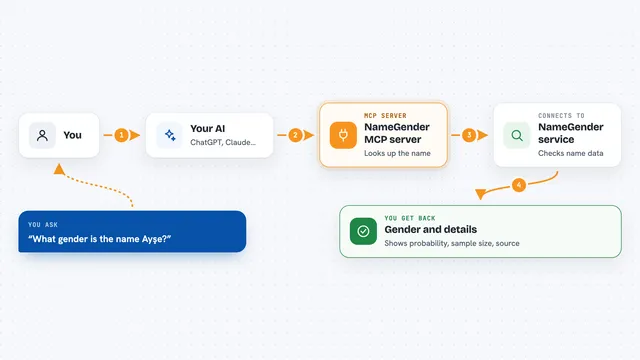
On its own, your AI can only chat and reason from what it already knows. An MCP server is a small helper program that gives your AI a new skill or a connection to another service. This one connects your AI to the MCP Analytics platform, a cloud service that runs statistical analysis. So when you ask a question about your data, your AI can hand the job to that platform and bring the finished report back into your chat.
What this MCP server does
You upload a spreadsheet or point it at a connected data source, then ask your question in normal words. Your AI passes the question and the data to this helper, which sends them to the MCP Analytics platform. There, a pipeline of specialist agents picks a statistical method, writes and runs the code, checks the numbers, and builds a report. When it is done, the report comes back to your chat as a link and as individual cards with charts and insights. You can then rerun the same analysis on fresh data whenever you like.
 Click to zoom
What you can do with it
- Upload a CSV file and ask what is driving your numbers
- Forecast next quarter from your historical data
- Find customer segments in your sales data
- Test whether a campaign or change actually made a difference
- Ask one question across all your past reports and get a cited answer
- Rerun an analysis you already own on new data
- Get a shareable browser link to any report
Try asking your AI
- “Upload sales.csv and find what drives revenue”
- “Forecast next quarter's sales from this time series”
- “Segment my customers in sales_data.csv into meaningful groups”
- “What statistical test should I use for this survey data?”
What it gives back to you
You get back an interactive report in your chat, with charts, tables, and AI-written insights. It also gives you a shareable browser link and can show individual cards inline. Reports are citable in common formats like APA or BibTeX, and the R source code is embedded so anyone can check the work. Every analysis you commission stays in your private library, ready to rerun or query later.
Before you start
What you need
- A free MCP Analytics account (sign up at account.mcpanalytics.ai)
- An API key from your account settings (a kind of password for apps; it starts with mcp_)
- Node.js 18 or newer if you use the npx install option
- An MCP client such as Claude Desktop, Cursor, Windsurf, or Claude Code
Good to know
Analyses cost credits from your account, so check your balance before commissioning a deep build, and only upload data you are allowed to share with a cloud service.
Install it with your AI
Add MCP Analytics server to your AI, no technical skills needed
You don't install anything by hand. You copy one prompt, paste it into an AI that can work on your computer, and it checks, installs and connects the server for you, asking you when it needs something.
Sign in to get the install prompt
Members get a ready-made prompt that lets the Claude desktop app check MCP Analytics server, install it and connect it for them, step by step. You don't need any technical skills: you copy, paste and answer a few questions. Your connected AI can also find and install any of the 4,361 MCP servers here for you.
Who it's for
Analysts, marketers, founders, and operations people who have data and questions but not a statistics background.