MCP server · Productivity
ReMCP remote computer MCP server
by getremcp
Let your AI look at and work on a computer you pair: read files, run commands, take screenshots.
ReMCP connects a computer you own to your AI chat, so the AI can work on that machine while you sit somewhere else. You put a small helper on the computer, pair it with your account once, and then just ask. It is handy if you look after a work laptop, a desktop in the office, or a server you are allowed to manage.
What is an MCP server? The 30-second version
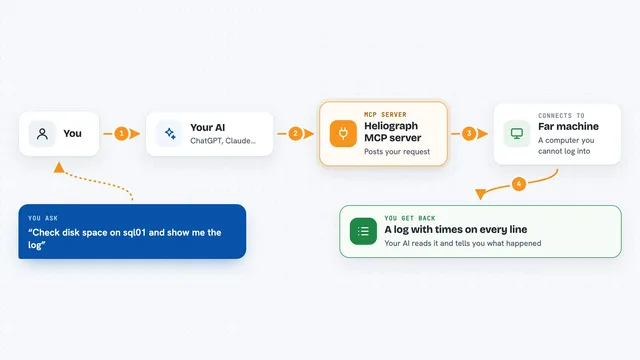
On its own, your AI can only chat. It cannot see your files and it cannot touch a computer. An MCP server is a small helper program that gives your AI one new skill or one new connection, and here that connection is to a computer you have paired with ReMCP. The helper runs quietly on that machine and calls out to ReMCP rather than waiting for the internet to call in, so you do not have to open anything up on your network. Your AI just asks, and the helper on your computer does the work.
What this MCP server does
You install the ReMCP helper on the computer you want to reach and pair it with your account using a one time code. After that the helper keeps a quiet background connection open, and that computer shows up in your ReMCP list. When you ask your AI something like show me the files in my work folder, your AI passes the request to ReMCP, and ReMCP passes it to the helper on that machine. The helper does the work locally and sends the answer back. You then see the file list, the text a command printed, or a screenshot right there in the chat.
What you can do with it
- Look through folders on the paired computer and read files without leaving the chat
- Run a command or program on that machine and read what it printed
- Take a screenshot of the desktop to see what is on screen
- Search the computer for files by name or for text inside them
- Move, copy, rename or tidy up files and folders
- Zip a folder so it can be sent over, or unpack one that arrived
- Open an app or a browser page on that machine and click through it for you
Try asking your AI
- “On my office PC, list the files in Documents/Invoices and tell me which ones are from March”
- “Run the build script on my desktop machine and show me the last 30 lines of what it printed”
- “Take a screenshot of my work computer so I can see whether the report window is still open”
- “Find every PDF on my laptop with contract in the name and put them all in one zip file”
What it gives back to you
You get ordinary things back in the chat: lists of files, the contents of a document, the text a command printed, search results, or a screenshot shown as a picture. When the AI changes something, such as moving a file or writing a new one, it tells you what it did. Everything is about the computer you paired, not about the wider internet.
Before you start
What you need
- A ReMCP account you sign in to at remcp.site
- A computer you own or are allowed to manage, with permission to connect it
- A one time pairing code from your signed-in ReMCP workspace
- On Windows nothing extra, on macOS or Linux Node.js 22.5 or newer
Good to know
This helper can read, change and delete files, run commands and control the desktop on the connected computer, so only pair machines you own or are clearly allowed to manage.
Install it with your AI
Add ReMCP remote computer MCP server to your AI, no technical skills needed
You don't install anything by hand. You copy one prompt, paste it into an AI that can work on your computer, and it checks, installs and connects the server for you, asking you when it needs something.
Sign in to get the install prompt
Members get a ready-made prompt that lets the Claude desktop app check ReMCP remote computer MCP server, install it and connect it for them, step by step. You don't need any technical skills: you copy, paste and answer a few questions. Your connected AI can also find and install any of the 4,361 MCP servers here for you.
Who it's for
People who work across two machines, plus IT and support staff who need to reach a computer remotely without setting up remote desktop.