MCP server · Analytics
Operational Ontology MCP server
by gura105
Lets your AI read business data and run rule-checked actions like cancelling orders, with an audit trail.
This is a small example project that shows how to give an AI helper a shared model of your business data. It comes with a demo company that has two old order systems, and your AI can read across both of them and even cancel an order the right way. It is handy if you are curious how AI can safely make changes in business systems, not just answer questions.
What is an MCP server? The 30-second version
On its own, your AI can only chat. An MCP server is a small helper program that gives your AI a new skill or a connection to an app or service. This one connects your AI to the Operational Ontology demo, which holds a model of orders and customers. Once it is running, your AI can look things up and run actions like cancelling an order, and the model checks the business rules for you.
What this MCP server does
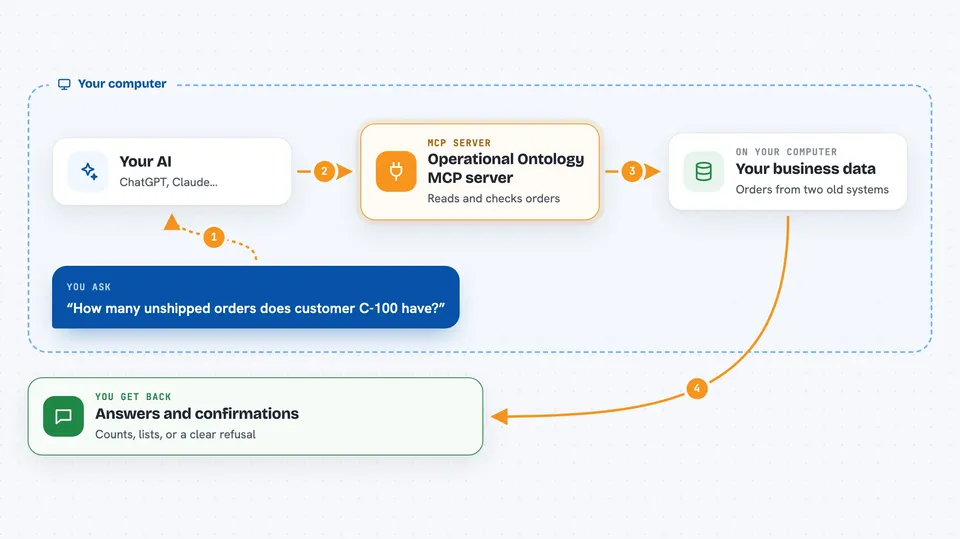
You ask your AI a question about the demo orders, like how many orders a customer has. Your AI uses this helper, and the helper reads from the shared business model that combines two old order systems. For actions, you ask your AI to cancel an order, and the helper checks the rules first. If the order already shipped, it refuses and tells your AI why. If it is allowed, it writes the change back to the original system and records what happened in an audit log.
 Click to zoom
What you can do with it
- Search for orders by their details
- See all orders that belong to one customer
- Cancel an order if the rules allow it
- Assign an order to a person
- Add a note to an order
- Read the audit log of past action attempts
- Get a refusal message when an action breaks a business rule
Try asking your AI
- “How many unshipped orders does customer C-100 have?”
- “Cancel order O-55 because the customer changed their mind”
- “Show me all orders for customer C-100”
- “Read the audit log and tell me which cancellations were refused”
What it gives back to you
You get answers in plain chat: lists of orders, counts, and short summaries. When you ask for an action, you get either a confirmation that it was applied or a clear refusal with a code like SHIPPED_ORDER_CANNOT_BE_CANCELLED. The audit log comes back as a list of past attempts and their outcomes.
Before you start
What you need
- Node.js 24 or later
- pnpm (a tool for installing project packages)
- The project files from the repository, downloaded to your computer
Good to know
It can change order data and write those changes back to the demo's original systems, so try it on the sample data first rather than anything real.
Install it with your AI
Add Operational Ontology MCP server to your AI, no technical skills needed
You don't install anything by hand. You copy one prompt, paste it into an AI that can work on your computer, and it checks, installs and connects the server for you, asking you when it needs something.
Sign in to get the install prompt
Members get a ready-made prompt that lets the Claude desktop app check Operational Ontology MCP server, install it and connect it for them, step by step. You don't need any technical skills: you copy, paste and answer a few questions. Your connected AI can also find and install any of the 4,361 MCP servers here for you.
Who it's for
People who want to see how AI agents can read and change business data safely, especially anyone curious about business rules, audit trails, and write-back to real systems.