MCP server · Developer tools · official
Hostsmith MCP server
by hostsmith · official
Publish a file or website from your AI chat and get back a live public web link.
Hostsmith is a hosting service for simple files and websites. This is its official helper for AI tools, so your AI can upload a file you made and hand you back a working web address. It is handy if you write reports, build small pages, or make images and PDFs and want them online without touching a server.
What is an MCP server? The 30-second version
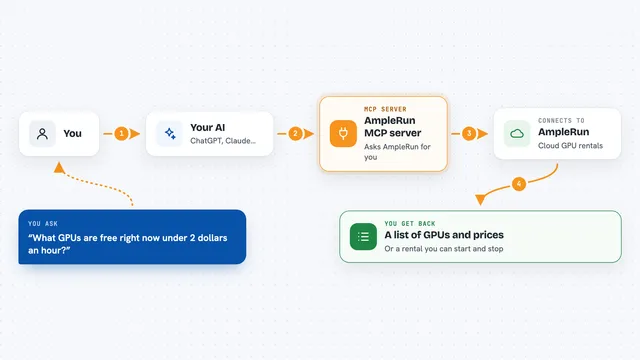
On its own, your AI can only chat with you. An MCP server is a small helper program that gives your AI a new skill, in this case a connection to Hostsmith. Once it is connected, your AI can put files on Hostsmith and get public links back. You just ask in plain words, and the helper does the technical part behind the scenes.
What this MCP server does
You ask your AI to publish something, like an HTML page or a PDF. The AI uses this helper to talk to your Hostsmith account. The helper creates a site for you and sends the file up. A few seconds later it gives you back a public web address you can open or share. You can also ask it to list what you already published, or take a site down.
What you can do with it
- Publish an HTML page and get a live link
- Upload a PDF, image, video, or ZIP file to a public URL
- List all the sites in your Hostsmith account
- Check the details of one specific site
- See your plan and how much you have used
- Delete a site you no longer need
- List the domains available to you, including custom ones
Try asking your AI
- “Publish this HTML report as a website and give me the link”
- “Upload this PDF to Hostsmith and send me the URL”
- “List all my Hostsmith sites”
- “Delete the site called old-demo”
What it gives back to you
You get back plain answers in the chat, like a live web address for the thing you just published. When you ask for a list, it shows your sites with their names and links. When you check your account, it tells you your plan and usage. When you delete something, it confirms the site is gone.
Before you start
What you need
- A Hostsmith account (there is a free tier)
- An AI tool that supports MCP connectors, like Claude, Cursor, or Claude Code
Good to know
It can publish files to the public web and delete sites, so check what you are sharing before you say yes.
Install it with your AI
Add Hostsmith MCP server to your AI, no technical skills needed
You don't install anything by hand. You copy one prompt, paste it into an AI that can work on your computer, and it checks, installs and connects the server for you, asking you when it needs something.
Sign in to get the install prompt
Members get a ready-made prompt that lets the Claude desktop app check Hostsmith MCP server, install it and connect it for them, step by step. You don't need any technical skills: you copy, paste and answer a few questions. Your connected AI can also find and install any of the 4,609 MCP servers here for you.
Who it's for
Anyone who makes files or small web pages with an AI and wants a quick public link without dealing with servers or build tools.