MCP server · Analytics
PBX MCP server (Asterisk and FreeSWITCH)
Ask your AI about your phone system: extensions, live calls, trunks, and dialplans, straight from the switch.

This is a helper that connects your AI assistant to your phone system, so you can ask questions about it in plain English. It works with Asterisk and FreeSWITCH, the two most common phone systems businesses run. It is handy for anyone who looks after an office phone setup, even if you are not a phone expert.
What is an MCP server? The 30-second version
On its own, your AI can only chat. It cannot see your phone system or know what is happening there. An MCP server is a small helper program that gives your AI a new skill, and this one gives it a connection to your Asterisk or FreeSWITCH phone system. Once it is set up, you can ask your AI things like which extensions are offline, and it will go and check for you.
What this MCP server does
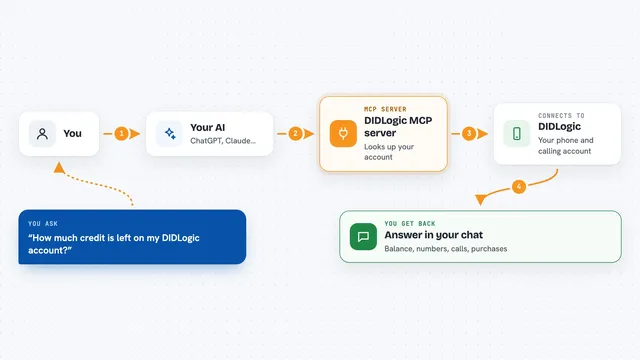
You ask your AI a question about your phone system, like which calls are live right now. Your AI passes that request to this helper program running on your computer. The helper logs into your phone system using the standard admin connection, either Asterisk's manager interface or FreeSWITCH's event socket. It runs the right command, gets the answer back, and hands it to your AI. Your AI then explains it to you in normal words, right in the chat.
 Click to zoom
What you can do with it
- Check which extensions are online or offline right now
- See every live call with caller ID, state, and how long it has been running
- Find out why a SIP trunk is not registering
- Look at the dialplan for a context or a single extension
- List registered users on a FreeSWITCH profile
- Preview which calls a hangup would drop, without dropping them
- Run a safe read-only command on the switch
Try asking your AI
- “Which extensions are offline right now?”
- “Why is my SIP trunk not registering?”
- “Show me all active calls on the Asterisk box”
- “What does the dialplan look like for extension 200 in context internal?”
What it gives back to you
You get back a clear answer in the chat, usually a short table or list. For example, a list of extensions with their state, or a list of live calls with caller ID and duration. If you ask about a trunk, it tells you whether it is registered and any error it sees. It also shows you the raw output if you want to look at it yourself.
Before you start
What you need
- Node.js 18 or newer on the computer that will run this (or Docker if you prefer)
- The hostname or IP address of your Asterisk or FreeSWITCH box
- A username and password for the admin connection on that box (for Asterisk, this is an AMI user; for FreeSWITCH, the ESL password)
- An MCP client like Claude Desktop that can run local helper programs
Good to know
It can place and end real calls if you turn on write mode, and those calls can cost money, so leave write mode off until you are sure.
Install it with your AI
Add PBX MCP server (Asterisk and FreeSWITCH) to your AI, no technical skills needed
You don't install anything by hand. You copy one prompt, paste it into an AI that can work on your computer, and it checks, installs and connects the server for you, asking you when it needs something.
Sign in to get the install prompt
Members get a ready-made prompt that lets the Claude desktop app check PBX MCP server (Asterisk and FreeSWITCH), install it and connect it for them, step by step. You don't need any technical skills: you copy, paste and answer a few questions. Your connected AI can also find and install any of the 4,361 MCP servers here for you.
Who it's for
Anyone who looks after an office phone system, like an IT admin, a support engineer, or a small business owner who runs their own PBX.