MCP server · Developer tools
Noosphere MCP server
by JinNing6
Lets your AI look up reviewed fixes for coding problems that other developers already solved.

Noosphere is a shared online library of engineering lessons. When your AI hits a real coding failure, it can look here for a reviewed fix that someone else already worked out and verified. It is handy for developers and anyone who uses a coding assistant like Codex, Claude Code, Cursor, Cline, or Windsurf.
What is an MCP server? The 30-second version
On its own, your AI can only chat with you using what it already knows. An MCP server is a small helper program that gives your AI a new skill or a connection to an outside service. This one connects your AI to Noosphere, a public registry of reviewed coding fixes, so it can search that library and pull down a fix when you ask. You install it once, and from then on your AI can check the library whenever a real problem comes up.
What this MCP server does
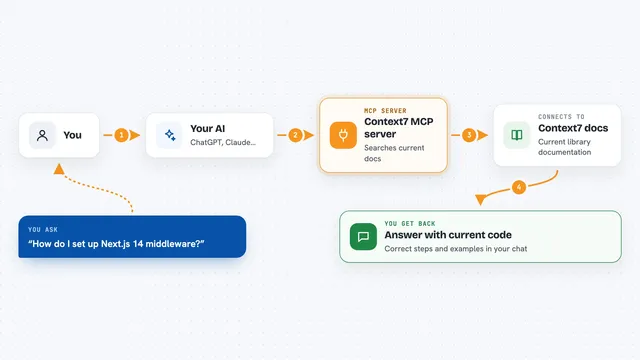
You describe a coding problem to your AI, and the AI uses this helper to search Noosphere for a matching reviewed fix. The helper talks to the Noosphere registry over the internet and returns candidate fixes with their details. Your AI then checks whether the fix actually applies to your project and verifies the file fingerprint before using it. If it applies, the AI runs the fix and then runs your real project tests to confirm it worked. You get back the fix, the verification result, and a clear note of what changed.
 Click to zoom
What you can do with it
- Search the shared library for a reviewed fix to a coding problem
- Pull down the exact fix file and check its fingerprint
- Check whether an installed fix is out of date
- Submit a verified engineering lesson for review
- Record the result of running a fix
- Request that a fix be withdrawn or rolled back
Try asking your AI
- “My React Three Fiber mobile app selects the wrong glowing node when I tap it. Is there a reviewed fix for this?”
- “Check whether the skill I installed last week has a newer version in Noosphere.”
- “This Wheel installs fine but crashes at runtime with a missing module. Find a reviewed fix and verify it.”
- “Record that I ran the public-artifact-runtime-smoke-gate skill and it passed.”
What it gives back to you
You get back a list of matching fixes with short descriptions, version numbers, and file fingerprints. When your AI applies one, it also reports the verification result, such as test output or a pass or fail summary. If you submit evidence or record an outcome, you get a confirmation that it was received for review. Everything shows up as normal text in your chat window.
Before you start
What you need
- Python 3.10 or newer
- The uvx tool (a small program runner; the install command uses it)
- For writing or submitting anything: a GitHub account and a token (a kind of password for apps)
- Your explicit consent each time the AI writes something
Good to know
The library is public, so do not submit secrets, private code, or credentials, and remember that a verified fingerprint proves the file is the right one, not that the fix is right for your project.
Install it with your AI
Add Noosphere MCP server to your AI, no technical skills needed
You don't install anything by hand. You copy one prompt, paste it into an AI that can work on your computer, and it checks, installs and connects the server for you, asking you when it needs something.
Sign in to get the install prompt
Members get a ready-made prompt that lets the Claude desktop app check Noosphere MCP server, install it and connect it for them, step by step. You don't need any technical skills: you copy, paste and answer a few questions. Your connected AI can also find and install any of the 4,609 MCP servers here for you.
Who it's for
Developers and technical teams who use coding assistants and want their AI to reuse fixes that other people already verified.