MCP server · Security
agent-bom MCP server
Your AI can scan your project for security risks and show which tools and credentials are exposed.
agent-bom is a security scanner that looks at the AI tools and packages your project uses. It helps you see what your AI agents can reach and where the risks are. It is handy for anyone who wants to check the safety of their AI setup without being a security expert.
What is an MCP server? The 30-second version
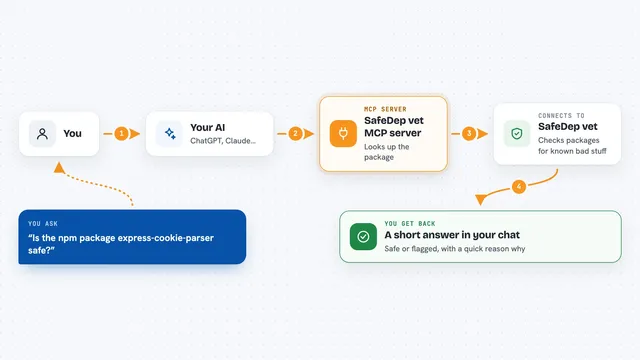
On its own, your AI can only chat. An MCP server is a small helper program that gives your AI a new skill or a connection to an app or service. Here, it connects your AI to agent-bom, a security scanner. So when you ask your AI to check your project for security issues, it can use agent-bom to look things up and bring back answers.
What this MCP server does
You ask your AI to scan your project for security problems. The AI uses this helper to run agent-bom on your files. agent-bom looks at the packages, tools, and settings in your project. It finds known vulnerabilities and shows what each part can access. Then it gives you a report with the findings and how to fix them.
What you can do with it
- Scan your project for security vulnerabilities
- See which AI tools and credentials are exposed
- Generate a software bill of materials (SBOM)
- Check if a new CVE affects your project
- Get fix suggestions for found issues
- Compare scans to see what changed
Try asking your AI
- “Scan my project for security issues and show me the report.”
- “Check if the latest CVE affects my code.”
- “Generate an SBOM for my project in CycloneDX format.”
- “What changed in security findings since the last scan?”
What it gives back to you
You get a report listing all the packages and tools in your project, along with any security findings. Each finding includes a severity level and a suggested fix. The report can be shown as a summary in the chat or saved as a file. You can also get a graph showing how everything is connected.
Before you start
What you need
- Python installed on your computer
- The uv tool (a helper to run Python programs)
- Your project files to scan
Good to know
This tool reads your project files to find security issues, so make sure you are okay with it accessing your code.
Install it with your AI
Add agent-bom MCP server to your AI, no technical skills needed
You don't install anything by hand. You copy one prompt, paste it into an AI that can work on your computer, and it checks, installs and connects the server for you, asking you when it needs something.
Sign in to get the install prompt
Members get a ready-made prompt that lets the Claude desktop app check agent-bom MCP server, install it and connect it for them, step by step. You don't need any technical skills: you copy, paste and answer a few questions. Your connected AI can also find and install any of the 4,960 MCP servers here for you.
Who it's for
Developers, security teams, and anyone using AI coding tools who wants to check their project's security.