MCP server · Privacy
Keyhole MCP server
by L-Jovi
Let ChatGPT read and carefully edit only the local folders you choose, with undo.
Keyhole is a small helper program that runs on your own computer and lets ChatGPT on the web read, and sometimes edit, only the folders you pick. It is handy if you want ChatGPT to work with your local notes or code without uploading files by hand. You stay in control: nothing is shared until you open a folder, and you can close it when you are done.
What is an MCP server? The 30-second version
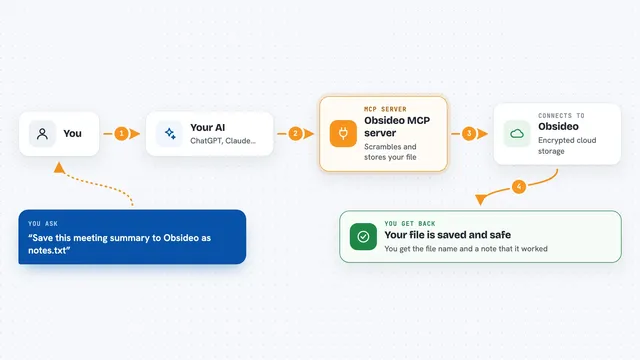
On its own, your AI can only chat. An MCP server is a small helper program that gives your AI a new skill or a connection to an app or service. Here, Keyhole connects ChatGPT to folders on your own computer, so the AI can look things up or make changes there when you ask. You open a folder with a local command, and ChatGPT can then read it through a private tunnel.
What this MCP server does
You run a command on your computer to open a folder, and Keyhole shares it with ChatGPT through a private connection. When you ask ChatGPT to read or edit a file, ChatGPT sends that request to Keyhole, which checks the folder's permissions and does the work. For edits, Keyhole checks the file's current fingerprint first, so it will not overwrite something that changed since ChatGPT last looked. Every change is recorded locally, and you can ask ChatGPT to undo it. When you close the folder, sharing stops.
What you can do with it
- Read text files, PDFs, Word, PowerPoint, Excel and images from folders you opened
- Create or edit text files in folders you marked as editable
- Search for words or names inside an open folder
- Copy, move, rename or delete single files
- Undo a change ChatGPT made, using a change id
- Keep some folders read-only and others editable at the same time
- Close a folder to stop sharing when the task is done
Try asking your AI
- “Read notes.md in demo, turn its three ideas into TODO checkboxes, and save the file.”
- “Search notes for invoice, then quote the matching lines with their file paths.”
- “Read app/src/config.py, fix the typo in the error message, and read the file back to confirm.”
- “Restore change 42 in the notes folder.”
What it gives back to you
You get answers in the chat, like the text of a file, a list of matching lines, or a short summary of what was read. When ChatGPT makes a change, it tells you what it did and gives you a change id you can use to undo it. You can also see recent changes on your computer with the keyhole history command. Everything stays on your machine except what ChatGPT reads and sends back in the conversation.
Before you start
What you need
- A Mac, Ubuntu Linux, or Windows 11 computer
- ChatGPT Developer mode and permission to create an OpenAI Platform tunnel and restricted runtime key
- About 15 minutes after account access is ready
- The uv tool (the setup guide shows how to install it)
Good to know
ChatGPT can change or delete files in folders you marked as editable, so only give write access to folders you are comfortable with, and remember that anything already sent to ChatGPT cannot be recalled by closing the folder.
Install it with your AI
Add Keyhole MCP server to your AI, no technical skills needed
You don't install anything by hand. You copy one prompt, paste it into an AI that can work on your computer, and it checks, installs and connects the server for you, asking you when it needs something.
Sign in to get the install prompt
Members get a ready-made prompt that lets the Claude desktop app check Keyhole MCP server, install it and connect it for them, step by step. You don't need any technical skills: you copy, paste and answer a few questions. Your connected AI can also find and install any of the 4,210 MCP servers here for you.
Who it's for
People who want ChatGPT to work with their local notes, documents or code without uploading files by hand, and who like the idea of keeping folder access under their own control.