MCP server · Productivity · official
LogiSheets MCP server
by logisky · official
Let your AI build and edit real Excel spreadsheets with live formulas, then save a .xlsx file you can open.

This is a helper that lets your AI work with spreadsheets the way a careful analyst would, using named tables instead of cell coordinates. It runs on your own computer and saves a normal Excel file at the end. It is handy for anyone who asks an AI to build a budget, a forecast, or a what-if model and wants the result to be a real file, not just numbers in the chat.
What is an MCP server? The 30-second version
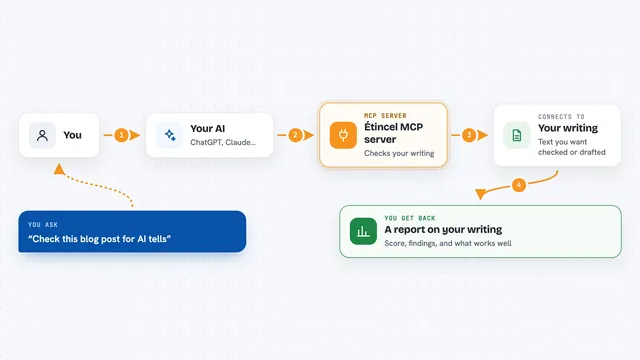
On its own, your AI can only chat. It cannot open a spreadsheet, do the math in a reliable way, or save a file. An MCP server is a small helper program that gives your AI a new skill, and here that skill is working with spreadsheets through LogiSheets, a spreadsheet engine that runs on your machine. Once it is connected, you can ask your AI to build or change a spreadsheet, and it will use this helper to do the actual work.
What this MCP server does
You ask your AI for something like a three-year revenue model. The AI uses this helper to create a named table, add rows, and set a formula once for a whole column. The helper does the calculating inside a real spreadsheet engine, so the numbers come from formulas, not from the AI guessing. When you are done, the AI saves everything as a normal .xlsx file you can open in Excel. You can then change an assumption in Excel and the formulas recalculate on their own.
 Click to zoom
What you can do with it
- Build a spreadsheet model from a plain description
- Set a formula once for a whole column so new rows compute automatically
- Run what-if scenarios without changing the saved workbook
- Solve backwards to find the input that hits a target output
- Add a chart that follows the data when rows or columns change
- Open an existing .xlsx file and adopt its tables
- Save the result as a real .xlsx file you can keep using
Try asking your AI
- “Build me a three-year revenue model: 100 units at $9.50 growing 40% a year, with a 30% cost of goods. Save it to ~/model.xlsx.”
- “In my model, what price per unit makes the year-three profit hit $50,000?”
- “Show me a 4 by 4 sensitivity grid of profit for prices from $8 to $11 and growth from 20% to 50%.”
- “Add a chart to the revenue block showing each quarter by region.”
- “Open ~/budget.xlsx and tell me what the assumptions block contains.”
What it gives back to you
You get answers in the chat, like a list of blocks, a table of numbers, or the result of a calculation. When you ask it to save, it writes a real .xlsx file to your computer that you can open in Excel. Charts and formulas stay live in that file, so changing a value updates everything. It can also show you what edits would do before actually making them.
Before you start
What you need
- Node.js version 20 or newer installed on your computer
- An MCP host like Claude Desktop or Cursor
Good to know
It can change and delete rows and cells in your spreadsheet, so ask it to show you a preview before making big edits, and keep a copy of any file you care about.
Install it with your AI
Add LogiSheets MCP server to your AI, no technical skills needed
You don't install anything by hand. You copy one prompt, paste it into an AI that can work on your computer, and it checks, installs and connects the server for you, asking you when it needs something.
Sign in to get the install prompt
Members get a ready-made prompt that lets the Claude desktop app check LogiSheets MCP server, install it and connect it for them, step by step. You don't need any technical skills: you copy, paste and answer a few questions. Your connected AI can also find and install any of the 4,361 MCP servers here for you.
Who it's for
Anyone who asks an AI to build or check a spreadsheet, such as analysts, finance people, small business owners, and students.