MCP server · Productivity
Defluff MCP server
by ahmedak
Your AI can check its own writing for filler phrases and clichés before sending it to you.

Defluff is a small tool that spots filler phrases and clichés in writing, like "at the end of the day" or "move the needle." This MCP server lets your AI use Defluff on its own drafts, so it can clean them up before you ever see them. It is handy for anyone who gets AI-written text and wants it to sound less puffy.
What is an MCP server? The 30-second version
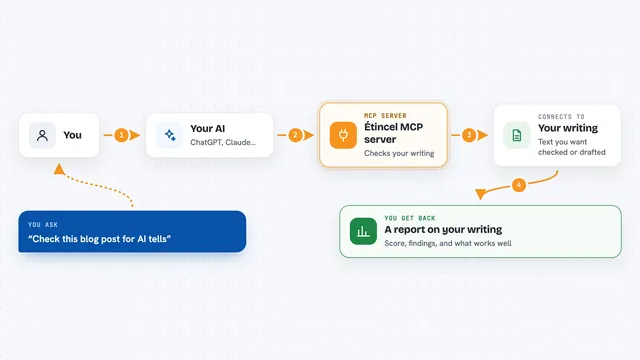
On its own, your AI can only chat with you. An MCP server is a small helper program that gives your AI a new skill. This one connects your AI to Defluff, a filler-phrase checker. When you ask, your AI can run your text through Defluff and see which phrases are worth cutting.
What this MCP server does
You ask your AI to check a piece of writing, or the AI decides to check its own draft. The AI sends the text to this helper. The helper compares the text against a list of filler phrases and clichés. It sends back the exact phrases it found and a score from 0 to 1. Your AI can then revise the text or show you what to cut.
 Click to zoom
What you can do with it
- Find filler phrases and clichés in a draft
- Get a score from 0 to 1 for how much filler a text has
- See the exact phrases flagged and their categories
- Add your own phrases to the list of things to catch
- Ignore words that are fine in your line of work
- Have your AI check its own reply before sending it
Try asking your AI
- “Check this paragraph for filler phrases and tell me what to cut”
- “Score this draft for slop and list the flagged phrases”
- “Add circle back to the list of phrases to catch”
- “Ignore the word leverage, it is normal in my finance writing”
What it gives back to you
You get back a list of the exact phrases that were flagged, each with a category like cliché or hedge. You also get a score from 0 to 1 showing how much of the text is filler. Your AI can show this in the chat or use it to rewrite the text. If it added or ignored a phrase, it tells you that too.
Before you start
What you need
- The Claude desktop app or another app that supports MCP servers
- Python installed on your computer, or the uvx tool for the zero-install option
Good to know
It only catches phrases on its list, so clean-looking text can still be vague or wrong, and it may flag words that are normal in your field until you tell it to ignore them.
Install it with your AI
Add Defluff MCP server to your AI, no technical skills needed
You don't install anything by hand. You copy one prompt, paste it into an AI that can work on your computer, and it checks, installs and connects the server for you, asking you when it needs something.
Sign in to get the install prompt
Members get a ready-made prompt that lets the Claude desktop app check Defluff MCP server, install it and connect it for them, step by step. You don't need any technical skills: you copy, paste and answer a few questions. Your connected AI can also find and install any of the 4,361 MCP servers here for you.
Who it's for
Anyone who writes or reviews AI-generated text, like editors, marketers, technical writers, and people who just want cleaner drafts.