MCP server · Productivity · official
Formfeed MCP server
by formfeed-dev · official
Turn HTML templates or Office files into PDFs and images, and check your data before you render.
Formfeed is an online service that turns templates and documents into finished PDFs and images. This MCP server connects your AI assistant to Formfeed, so you can ask it in plain words to make a PDF, convert a Word file, or check your data first. It is handy for anyone who makes invoices, reports, letters, or slides and would rather not click through a website.
What is an MCP server? The 30-second version
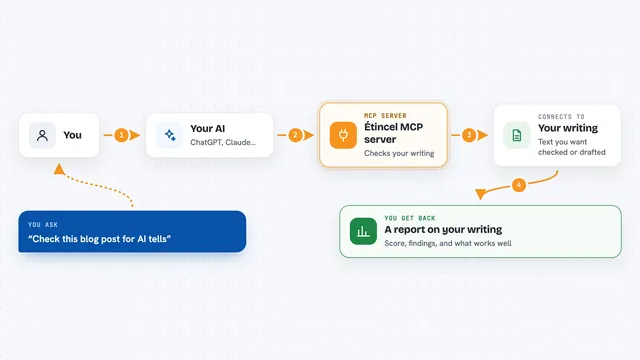
On its own, your AI can only chat. An MCP server is a small helper program that gives your AI a new skill, here a connection to Formfeed. Once it is connected, your AI can look up your templates, check your data, and ask Formfeed to build the PDF or image for you. You just say what you want, and the helper does the back and forth.
What this MCP server does
You ask your AI something like "render my invoice template with this data". The AI uses this helper to talk to Formfeed. Formfeed takes your template and your data, builds the PDF or image, and sends it back. The AI then shows you the result in the chat, or tells you what went wrong if the data did not fit the template. Some checks, like validating data against a template or checking an e-invoice, happen right on your computer and cost nothing.
What you can do with it
- List the templates in your Formfeed workspace
- See what data a template expects before you fill it in
- Check your data against a template's rules without rendering
- Render a PDF or image from a template
- Turn a Word, Excel, PowerPoint, or OpenDocument file into a PDF
- Check the invoice part of a ZUGFeRD or Factur-X e-invoice
- Look up a render you made earlier
Try asking your AI
- “List my Formfeed templates”
- “What data does the invoice template need?”
- “Render the monthly report template as a PDF with this data”
- “Convert this PowerPoint file to PDF”
- “Check this e-invoice against EN 16931”
What it gives back to you
You get answers in the chat: a list of templates, a description of the fields a template needs, or a clear yes or no with reasons when you check data. When you render, you get the finished PDF or image back, and if it is an image the AI can actually look at it. For conversions, you get the PDF file. If something is wrong, the AI tells you what to fix.
Before you start
What you need
- A Formfeed account (free plan available)
- A Formfeed API key (a kind of password for apps; you get one from your Formfeed account)
- The Claude desktop app, Cursor, or Claude Code if you install it yourself
Good to know
Rendering with a live key uses your Formfeed units, and the server can create files in your workspace, so check what it is about to do before you say yes.
Install it with your AI
Add Formfeed MCP server to your AI, no technical skills needed
You don't install anything by hand. You copy one prompt, paste it into an AI that can work on your computer, and it checks, installs and connects the server for you, asking you when it needs something.
Sign in to get the install prompt
Members get a ready-made prompt that lets the Claude desktop app check Formfeed MCP server, install it and connect it for them, step by step. You don't need any technical skills: you copy, paste and answer a few questions. Your connected AI can also find and install any of the 4,609 MCP servers here for you.
Who it's for
People who make invoices, reports, letters, or presentations and want their AI to build the PDFs for them.