MCP server · Developer tools
DevTrack MCP server
by sraj0501
Let your AI read your tickets, commits, and end-of-day notes so it can help you write updates.
DevTrack is a small program that watches your Git work in the background and links it to tickets. Its MCP server lets your AI assistant read that information, so it can help you with standups and end-of-day reports. It is handy if you write code all day and hate writing status updates.
What is an MCP server? The 30-second version
On its own, your AI can only chat with you. An MCP server is a small helper program that gives your AI a new skill or a connection to an app. This one connects your AI to DevTrack, which already knows about your commits and tickets. Once connected, your AI can look things up there and answer your questions about your own work.
What this MCP server does
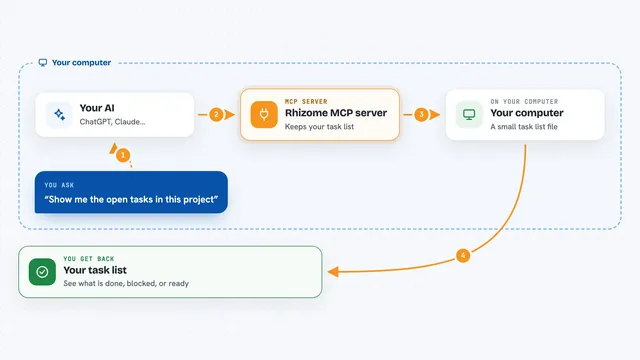
You ask your AI something like what did I work on today. Your AI uses this helper to ask DevTrack. DevTrack looks in its local database at your recent commits, the tickets they map to, and any pending updates. It sends that back, and your AI turns it into a short answer or a draft update for you. Nothing gets posted anywhere; the helper only reads.
What you can do with it
- See which ticket you are currently working on
- List recent commits and the tickets they belong to
- Check pending actions waiting for your approval
- Read your end-of-day report context
- Look up your saved voice or writing profile
- Search DevTrack Sage knowledge from past commands
- Get a summary of your day for a standup
Try asking your AI
- “What ticket am I working on right now?”
- “Summarize my commits from today for a standup.”
- “Are there any pending actions I need to approve?”
- “What did I do yesterday on the AUTH-42 ticket?”
What it gives back to you
You get back plain answers in the chat: a ticket name, a short list of commits, a summary of your day, or a note about pending actions. It can also return your voice profile or a piece of Sage knowledge if you ask. Everything is read-only, so nothing in DevTrack changes.
Before you start
What you need
- DevTrack installed and running on your computer
- Git installed
- An MCP-capable AI assistant like Claude Desktop or Claude Code
Good to know
It can only read your DevTrack data, so it cannot post updates or change anything, but it does see your commits and ticket names, so keep that in mind if you share your chat.
Install it with your AI
Add DevTrack MCP server to your AI, no technical skills needed
You don't install anything by hand. You copy one prompt, paste it into an AI that can work on your computer, and it checks, installs and connects the server for you, asking you when it needs something.
Sign in to get the install prompt
Members get a ready-made prompt that lets the Claude desktop app check DevTrack MCP server, install it and connect it for them, step by step. You don't need any technical skills: you copy, paste and answer a few questions. Your connected AI can also find and install any of the 4,609 MCP servers here for you.
Who it's for
Developers and engineers who use Git and tickets and want help writing standups and end-of-day updates.