MCP server · Email
MailboxValidator MCP server
Check if an email address is real, disposable, or from a free provider, right inside your AI chat.

This is a small helper that lets your AI check email addresses for you. You ask about an address, and it tells you whether that address looks real and reachable, or risky. It is handy if you send marketing emails or newsletters and want fewer bounces.
What is an MCP server? The 30-second version
On its own, your AI can only chat. It cannot look anything up outside the conversation. An MCP server is a small helper program that gives your AI a new skill, here a connection to MailboxValidator, an email checking service. Once it is set up, your AI can send an address to that service and bring the answer back to you.
What this MCP server does
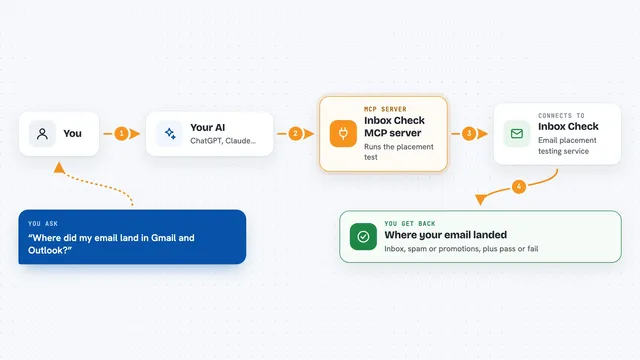
You type a question about an email address in your AI chat, like whether it is valid. Your AI passes that address to this helper program. The helper sends it to the MailboxValidator service, which runs a series of checks on it. The service sends the result back, and your AI explains it to you in plain words in the chat.
 Click to zoom
What you can do with it
- Check whether an email address is valid and reachable
- Spot disposable or temporary email addresses
- Tell whether an address comes from a free email provider
- Catch addresses that are likely to bounce
- Screen a list of addresses before you send a campaign
- Check the reputation of an email address
Try asking your AI
- “Is john@example.com a valid email address?”
- “Is this email a fake or disposable one: test@mailinator.com”
- “Is sarah@gmail.com a free email address?”
- “Will this address bounce if I send to it: info@somecompany.com”
What it gives back to you
You get a short answer in the chat, like whether the address is valid, disposable, or from a free provider. Behind that answer is a set of check results, such as syntax, domain and mail server checks, and a reputation score. Your AI reads those results and sums them up for you. If something goes wrong, you get an error message instead.
Before you start
What you need
- A MailboxValidator API key (a kind of password for apps; you can sign up for a free one that allows up to 300 checks a month)
- Node.js and npm installed on your computer
- The Claude desktop app
Good to know
Each check uses one of your monthly MailboxValidator queries, so on the free plan you have up to 300 per month.
Install it with your AI
Add MailboxValidator MCP server to your AI, no technical skills needed
You don't install anything by hand. You copy one prompt, paste it into an AI that can work on your computer, and it checks, installs and connects the server for you, asking you when it needs something.
Sign in to get the install prompt
Members get a ready-made prompt that lets the Claude desktop app check MailboxValidator MCP server, install it and connect it for them, step by step. You don't need any technical skills: you copy, paste and answer a few questions. Your connected AI can also find and install any of the 4,361 MCP servers here for you.
Who it's for
Marketing and email people who send campaigns and want to avoid bounces, plus anyone who wants a quick sanity check on an email address.