MCP server · Research
Site Crawler for Links and Tables
by mambalabsdev
Crawl a website and get back its links, file download links, tables and lists as tidy rows.
This is a small helper that lets your AI crawl a website for you. You give it a web address, and it comes back with the links, the file download links, the tables and the lists it finds on the pages. It is handy for anyone who needs to collect information from a site without clicking through page after page.
What is an MCP server? The 30-second version
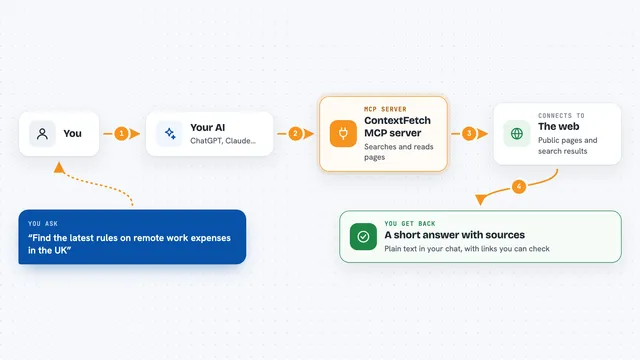
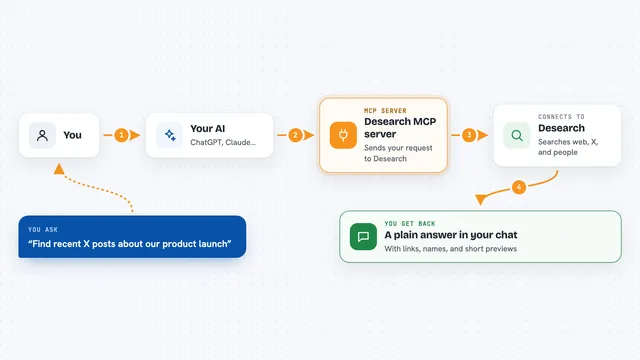
On its own, your AI can only chat. It cannot go out and read a website for you. An MCP server is a small helper program that gives your AI a new skill, and here the skill is crawling a site and pulling out its links and tables. Once it is connected, you just ask in plain words and the AI uses this helper to do the work and brings the results back to you.
What this MCP server does
You ask your AI something like list every external download link on this website. The AI passes your request to this helper, which starts a crawler job on Apify, a service that runs the actual crawl. The crawler reads the pages over plain HTTP, follows links and the site map, and respects the site's robots.txt rules by default. When it finishes, the helper hands back one row per page with the links, tables, lists and file links it found, and the AI shows them to you in the chat.
What you can do with it
- List every internal and external link on a website
- Collect all file download links, such as PDFs, spreadsheets and zip files
- Pull every HTML table from a set of pages into rows
- Grab the lists found on pages
- Limit the crawl to a number of pages or a link depth
- Keep the crawl on one domain, or follow links to other sites too
- Set a spending cap so a run stops before it costs too much
Try asking your AI
- “List every external download link on this website.”
- “Pull all the tables from these pages into rows.”
- “Crawl this site and show me which pages link out to other domains.”
- “Crawl example.com, stay on the same domain, and give me the links and lists from the first 20 pages.”
What it gives back to you
You get back a set of rows, one per page the crawler read. Each row holds the page address plus the links, tables, lists and file links found there. The AI can then show them as a list or a table in the chat, or summarise what it found. If you asked for separate download link rows, you get one extra row per file link.
Before you start
What you need
- Node.js 18 or newer on your computer
- A free Apify account
- An Apify API token (a kind of password for apps; you copy it from your Apify account settings)
- An MCP client such as the Claude desktop app or Cursor
Good to know
Each crawl is billed to your Apify account per page read, so a large crawl can cost money; you can set a spending cap to keep it in check.
Install it with your AI
Add Site Crawler for Links and Tables to your AI, no technical skills needed
You don't install anything by hand. You copy one prompt, paste it into an AI that can work on your computer, and it checks, installs and connects the server for you, asking you when it needs something.
Sign in to get the install prompt
Members get a ready-made prompt that lets the Claude desktop app check Site Crawler for Links and Tables, install it and connect it for them, step by step. You don't need any technical skills: you copy, paste and answer a few questions. Your connected AI can also find and install any of the 4,960 MCP servers here for you.
Who it's for
Anyone who needs to gather links, tables or file links from a website without clicking through it by hand, such as researchers, marketers and analysts.