MCP server · Health and learning
Persona Sessions MCP server
by mattjoyce
Run mock interviews, coaching chats and reflection sessions with your AI playing a chosen persona.
This is a small helper that turns your AI into a role-play partner. It can act as your future boss, a board member, or a calm reflection companion, and it keeps track of time while you talk. It is handy if you have an important meeting coming up or you just want to think something through out loud.
What is an MCP server? The 30-second version
On its own, your AI can only chat with you. An MCP server is a small helper program that gives your AI a new skill or a connection to something, and here it gives your AI the skill of running a structured session with a chosen persona. You ask your AI to start a mock meeting or a reflection session, and the AI uses this helper to load the right persona, keep a timer, and later give you feedback. You never touch the helper directly, you just talk to your AI like always.
What this MCP server does
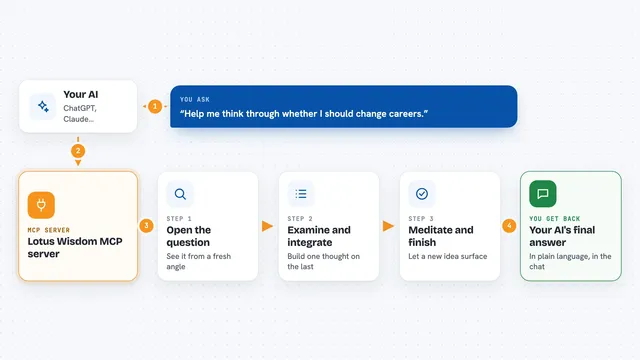
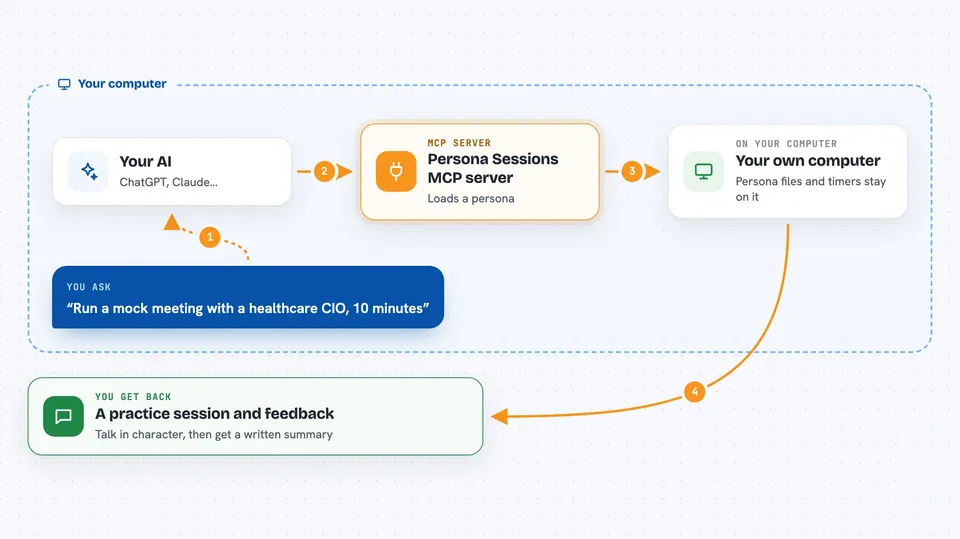
You tell your AI what kind of session you want, for example a mock meeting with a healthcare CIO about a new system. The AI asks this helper to load a persona file that describes how that person talks, what they know, and what they care about. The helper also starts a timer so the session has a clear length. While you talk, the AI stays in character and follows a session framework with goals and topics. When you stop, the helper can look back at the conversation and give you feedback on how it went.
 Click to zoom
What you can do with it
- Browse the list of ready-made session types and personas
- Start a mock interview or meeting with a persona you pick
- Run a timed session so it does not drag on forever
- Check how much time is left while you are talking
- Get feedback on your performance after the session ends
- Run a personal reflection or journaling session
- Add your own persona files and session types
Try asking your AI
- “Claude, use your tools to run a mock meeting with a healthcare CIO about our new patient portal, 10 minutes.”
- “Start a reflection session with the reflective companion persona, about 15 minutes.”
- “List the session frameworks you have available.”
- “Give me feedback on that interview practice session.”
What it gives back to you
You get the conversation itself, with the AI staying in the chosen persona. The helper also reports things like which session is running, how much time has passed, and when the timer stops. After a session, you can ask for feedback and the AI will give you a written summary of how you came across, what worked, and what to try next.
Before you start
What you need
- Python 3.8 or newer on your computer
- The fastmcp package installed with pip
- An MCP-compatible AI app such as Claude Desktop
- The project files downloaded from GitHub and a config.yaml set up
Good to know
This runs from files on your own computer, so only point it at a folder you are happy for it to read, and remember the feedback is just the AI's opinion, not a real assessment.
Install it with your AI
Add Persona Sessions MCP server to your AI, no technical skills needed
You don't install anything by hand. You copy one prompt, paste it into an AI that can work on your computer, and it checks, installs and connects the server for you, asking you when it needs something.
Sign in to get the install prompt
Members get a ready-made prompt that lets the Claude desktop app check Persona Sessions MCP server, install it and connect it for them, step by step. You don't need any technical skills: you copy, paste and answer a few questions. Your connected AI can also find and install any of the 4,361 MCP servers here for you.
Who it's for
People preparing for interviews or tough conversations, and anyone who likes guided reflection or coaching with their AI.