MCP server · Finance and crypto
OceanAlt AML screening MCP server
by OceanAlt666
Check a crypto wallet address for sanctions, mixer links and risk before your AI helps you pay it.
This is a helper for your AI that checks crypto wallet addresses before money moves. You give it an address, and it tells you whether anything worrying shows up, with evidence you can click through. It is handy for anyone who sends or receives crypto payments and wants a second opinion first.
What is an MCP server? The 30-second version
On its own, your AI can only chat. An MCP server is a small helper program that gives your AI a new skill or a connection to a service. This one connects your AI to OceanAlt, a service that screens crypto addresses for compliance risk. Once it is added, you can ask your AI to check an address, and it will call OceanAlt for you and explain the answer.
What this MCP server does
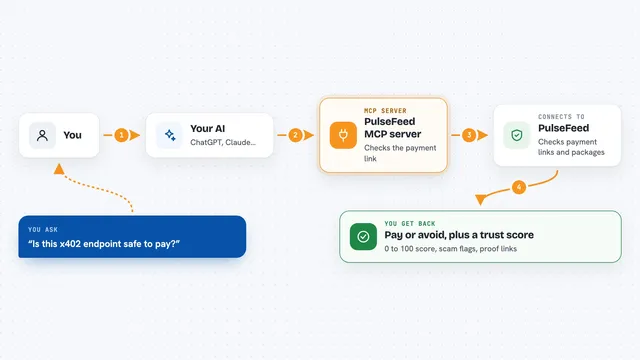
You ask your AI something like 'is this wallet safe to pay?'. Your AI passes the address to this helper program. The helper sends it to OceanAlt's public service, which looks the address up across several blockchains. OceanAlt sends back a verdict, a risk score from 0 to 100, and a list of evidence you can click. Your AI then explains the result in the chat, in plain words.
What you can do with it
- Screen a wallet address for sanctions, mixer links and other risk signals
- Get a payment decision (allow, review or decline) before sending money
- Check whether a payment link or domain looks like phishing
- Check an email or invoice that asks you to pay, for spoofing and pressure tactics
- Decode what a crypto transaction really does, to catch blind-signing tricks
- See recently flagged high-risk addresses
- Verify that a seller's payment request was not tampered with
Try asking your AI
- “Should I pay this address 0x1234abcd... on Base?”
- “Screen this Tron address for sanctions and mixer links”
- “This email asks me to pay an invoice. Is the sender and payee legit?”
- “What does this Solana transaction actually do before I sign it?”
What it gives back to you
You get a short verdict (clear, caution or risky), a risk score from 0 to 100, and a list of evidence items you can click through. For payment decisions, you get allow, review or decline, plus the reasons. Everything comes back as text in your chat, so you can read it and decide what to do next.
Before you start
What you need
- The Claude desktop app or another app that supports MCP servers
- Node.js installed on your computer (the free tools run with npx)
- For paid tools only: a dedicated low-balance crypto wallet key, because they spend real USDC on Base
Good to know
The paid tools spend real USDC on Base mainnet, so use a dedicated low-balance wallet and check the live price list before paying. A clear verdict only means nothing was found in OceanAlt's data, not that the address is safe.
Install it with your AI
Add OceanAlt AML screening MCP server to your AI, no technical skills needed
You don't install anything by hand. You copy one prompt, paste it into an AI that can work on your computer, and it checks, installs and connects the server for you, asking you when it needs something.
Sign in to get the install prompt
Members get a ready-made prompt that lets the Claude desktop app check OceanAlt AML screening MCP server, install it and connect it for them, step by step. You don't need any technical skills: you copy, paste and answer a few questions. Your connected AI can also find and install any of the 4,609 MCP servers here for you.
Who it's for
People who send or receive crypto payments, especially finance and compliance teams, freelancers paid in stablecoins, and anyone using AI agents to move money.