MCP server · Analytics
CerebroChain MCP server
Lets your AI compare shipping rates, check inventory, track orders, and forecast demand inside your chat.
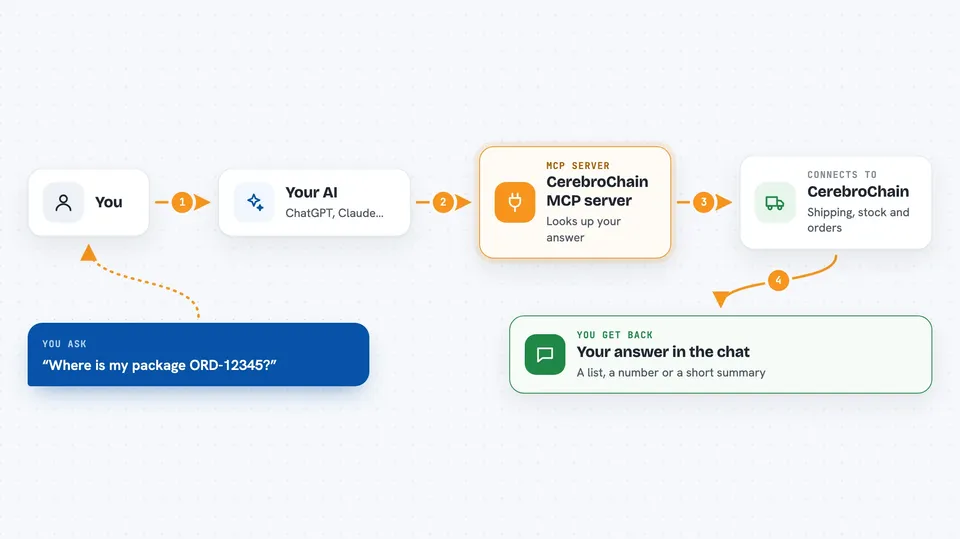
This is a helper for your AI that connects it to CerebroChain, a service for supply chain and logistics work. Once it is set up, you can ask your AI things like shipping rates or stock levels and get real answers instead of guesses. It is handy if you deal with orders, warehouses, or deliveries and already use ChatGPT or Claude for everyday tasks.
What is an MCP server? The 30-second version
On its own, your AI can only chat. It does not know your orders, your stock, or today's shipping prices. An MCP server is a small helper program that gives your AI a new skill or a connection to an app or service. This one connects your AI to CerebroChain, so when you ask about a shipment or an item, the AI can look it up there and tell you what it found.
What this MCP server does
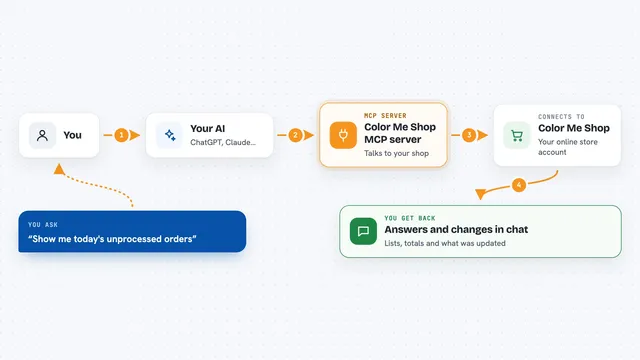
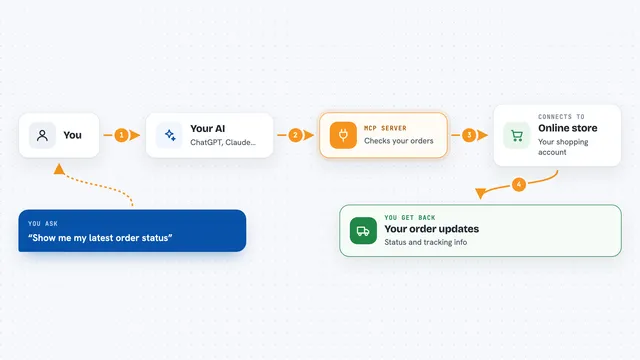
You type a question in plain words, like asking about a package or a product. Your AI passes that question to this helper program. The helper talks to CerebroChain's systems, which hold shipping rates, inventory, orders, and fleet data. CerebroChain sends the answer back, and your AI shows it to you in the chat as a list, a number, or a short summary. Some tools can also ask CerebroChain to do things, like optimize a route or forecast demand.
 Click to zoom
What you can do with it
- Compare shipping rates across UPS, FedEx, USPS, and DHL
- Search your inventory and check stock levels for an item
- Look up an item by its SKU
- List orders and check the status of a specific order
- Track a shipment and see its route
- See fleet stats and a list of vehicles
- Ask for demand forecasts and route optimization (paid plans)
Try asking your AI
- “Compare shipping rates from 90210 to 10001 for a 5lb package”
- “Search inventory for items containing widget”
- “What is the status of order ORD-12345?”
- “What items will be out of stock in 30 days?”
What it gives back to you
You get answers right in the chat. That can be a list of shipping rates, a stock count, an order status with tracking, or a short summary of fleet numbers. Paid tools can also return forecasts, route suggestions, and KPI snapshots. Nothing is hidden in a file; it shows up as text you can read and copy.
Before you start
What you need
- Node.js installed on your computer (the free program that runs this helper)
- The Claude desktop app or Cursor, set up to use MCP servers
- A CerebroChain account and API key for the paid tools (a kind of password for apps; you get one on their website)
Good to know
The paid tools can change things in your CerebroChain account and may use your subscription, so check the results before acting on them.
Install it with your AI
Add CerebroChain MCP server to your AI, no technical skills needed
You don't install anything by hand. You copy one prompt, paste it into an AI that can work on your computer, and it checks, installs and connects the server for you, asking you when it needs something.
Sign in to get the install prompt
Members get a ready-made prompt that lets the Claude desktop app check CerebroChain MCP server, install it and connect it for them, step by step. You don't need any technical skills: you copy, paste and answer a few questions. Your connected AI can also find and install any of the 4,361 MCP servers here for you.
Who it's for
People who work with orders, warehouses, shipping, or deliveries, like operations staff, logistics coordinators, and small business owners.