MCP server · Generative art
TouchDesigner MCP server
by Pantani
Describe a visual in plain words and your AI builds the real TouchDesigner network for you.

This is a helper that lets your AI assistant build things inside TouchDesigner, the visual software used for live visuals, installations and music-reactive graphics. You describe what you want in normal language, and the AI creates the actual nodes in your project. It is handy for artists, VJs and musicians who use TouchDesigner but find wiring networks by hand slow.
What is an MCP server? The 30-second version
On its own, your AI can only chat with you. An MCP server is a small helper program that gives your AI a new skill or a connection to another app. This one connects your AI to TouchDesigner. So when you ask for a visual, the AI can actually go into TouchDesigner and build it for you.
What this MCP server does
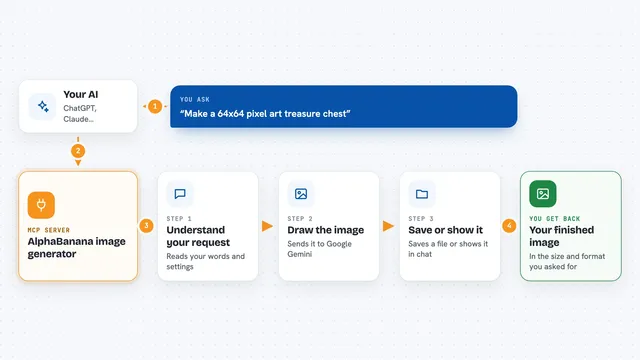
You type a description of a visual to your AI, like a feedback tunnel or an audio-reactive particle system. The AI uses this helper to look up real TouchDesigner operators and techniques, so it does not guess. The helper talks to a small bridge running inside TouchDesigner, which creates and connects the actual nodes in your project. Then it checks the network for errors and sends back a preview image. You can keep asking for changes, like making it warmer or adding a trail.
 Click to zoom
What you can do with it
- Build a feedback tunnel from noise with blur and displace
- Create an audio-reactive particle galaxy
- Add a control panel with knobs you can tweak live
- Map parameters to MIDI, OSC or DMX controllers
- Generate a generative art network with bloom and output
- Inspect an existing network and fix errors
- Preview your network as a thumbnail in the chat
Try asking your AI
- “Create a feedback tunnel from noise with blur and displace, then add bloom and output it to a window.”
- “Make an audio-reactive particle galaxy and show me a preview.”
- “Add a control panel with knobs for speed and color, and map them to my MIDI controller.”
- “Output the visual fullscreen and make the colors warmer.”
What it gives back to you
You get back a short report of what was built, a list of the nodes created, and a preview thumbnail of the visual. If there were errors, the AI tells you and fixes them. You can also ask it to show you the current network or check for problems.
Before you start
What you need
- TouchDesigner installed (the free non-commercial edition is fine)
- An AI assistant that supports MCP, like Claude Desktop, Claude Code, Codex or Cursor
- For the one-click Claude Desktop extension, nothing else is needed
- For building from source, Node.js 20 or newer
Good to know
The bridge runs Python inside TouchDesigner and listens on a network port, so only use it on a trusted network and turn on the token or disable exec if you are not sure.
Install it with your AI
Add TouchDesigner MCP server to your AI, no technical skills needed
You don't install anything by hand. You copy one prompt, paste it into an AI that can work on your computer, and it checks, installs and connects the server for you, asking you when it needs something.
Sign in to get the install prompt
Members get a ready-made prompt that lets the Claude desktop app check TouchDesigner MCP server, install it and connect it for them, step by step. You don't need any technical skills: you copy, paste and answer a few questions. Your connected AI can also find and install any of the 4,361 MCP servers here for you.
Who it's for
Artists, VJs, musicians and creative coders who use TouchDesigner and want to build visuals faster by describing them.