MCP server · Generative video
AI Gateway MCP server
by Armulee
Make pictures, video and voice inside your chat using 400+ models, billed to your own Vercel credits.
This is a helper you add to Claude or ChatGPT so your chat can actually make pictures, video and voice, not just talk about them. It uses over 400 models from Vercel's AI Gateway, like Veo, Kling and Nano Banana. It is handy for anyone who wants to create images, clips or narration without learning a new app.
What is an MCP server? The 30-second version
On its own, your AI can only chat and write. An MCP server is a small helper program that gives your AI a new skill or a connection to another service. This one connects your chat to Vercel's AI Gateway, a big catalog of image, video and voice models. Once it is added, your AI can ask those models to make things for you when you ask.
What this MCP server does
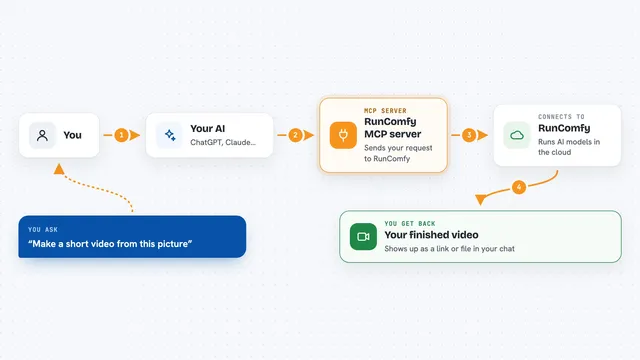
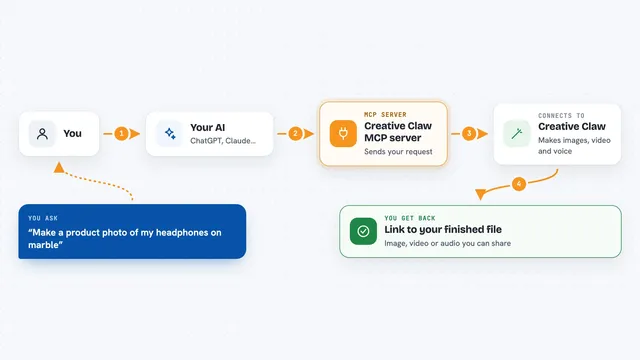
You ask your chat for something in plain words, like a picture or a short clip. Your chat picks the right tool and your own copy of this connector, running on your Vercel account, sends the request to the AI Gateway. The Gateway runs the model and charges your own credits at the provider's price. When the picture, video or audio is ready, it comes back into your chat so you can see or play it.
What you can do with it
- Make pictures from a written description
- Edit your own photos, like removing a background or restyling them
- Film short videos from words or from a picture, with sound if you like
- Copy the dance moves from one video onto a character in a picture
- Read text aloud as narration or a voice-over
- Write down the speech in an audio or video file, with timestamps
- Compare model prices and check your remaining credits
Try asking your AI
- “Make a picture of a fox reading a book under a street lamp, warm colours”
- “Turn this photo of my mug into a shot on white marble in morning light”
- “Film a five second clip of waves on a beach at sunset, with sound”
- “Read this paragraph aloud in a slow, warm voice”
What it gives back to you
You get the actual thing you asked for, right in the chat: an image, a video clip, or an audio file you can play. It also tells you what each call cost, so you can see the price next to the result. Lists of models and your credit balance come back as simple text you can read.
Before you start
What you need
- A Vercel account (free to start, and every team gets some free monthly credits)
- A GitHub, GitLab or Bitbucket account to copy the project
- A Claude or ChatGPT account that can add custom connectors
Good to know
Every picture, video or voice call spends real money from your Vercel credits, so set a spend budget in your Vercel dashboard to cap what it can ever use.
Install it with your AI
Add AI Gateway MCP server to your AI, no technical skills needed
You don't install anything by hand. You copy one prompt, paste it into an AI that can work on your computer, and it checks, installs and connects the server for you, asking you when it needs something.
Sign in to get the install prompt
Members get a ready-made prompt that lets the Claude desktop app check AI Gateway MCP server, install it and connect it for them, step by step. You don't need any technical skills: you copy, paste and answer a few questions. Your connected AI can also find and install any of the 4,609 MCP servers here for you.
Who it's for
People who want to make images, short videos or voice-overs from their chat, like small business owners, teachers, writers and social media creators.