MCP server · Design tools
StoreShots MCP server
by qaimos
Turn plain app screenshots into polished App Store and Google Play marketing images, in the sizes both stores require.
StoreShots is a helper that makes app store screenshots for you. You bring the plain screen grabs from your phone, and it dresses them up into the marketing images you see in the App Store and on Google Play. It is handy if you have an app and no designer on hand.
What is an MCP server? The 30-second version
On its own, your AI can only chat. An MCP server is a small helper program that gives your AI one new skill. This one gives your AI a connection to StoreShots, a screenshot making tool. When you ask for store images in the chat, your AI passes the job to StoreShots and brings the result back to you.
What this MCP server does
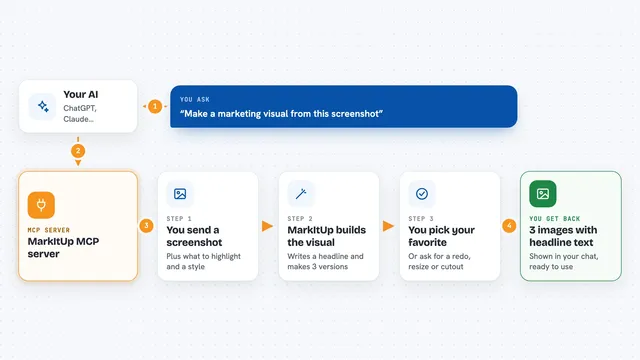
You tell your AI you want marketing screenshots for your app. Your AI sends this request to the StoreShots helper. StoreShots takes your raw screenshots and puts them inside phone or tablet frames, applies one of several styles, and resizes everything to the exact sizes the app stores ask for. When it is done, you get the finished images back as PNG files or as a ZIP you can download.
What you can do with it
- Turn a raw app screenshot into a framed iPhone image
- Make the same image in Android and iPad frame versions
- Get the exact pixel sizes App Store and Google Play require
- Pick from several visual styles for your screenshots
- Download everything as PNG files or a single ZIP
Try asking your AI
- “Make App Store screenshots from these three app screens”
- “I need Google Play screenshots in every required size, use the clean style”
- “Put my screenshot inside an iPhone frame and give me a ZIP”
- “Create iPad versions of these same screens for the store listing”
What it gives back to you
You get finished images back, shown or linked in the chat. They come as PNG files, or bundled into one ZIP if you asked for several. If you asked for multiple store sizes at once, you get one file per size.
Before you start
What you need
- The app screenshots you want to convert
- A connection to the StoreShots MCP server set up in your AI app
Good to know
It sends your screenshots to an online service, so avoid images that contain private or unreleased information you would not want uploaded.
Install it with your AI
Add StoreShots MCP server to your AI, no technical skills needed
You don't install anything by hand. You copy one prompt, paste it into an AI that can work on your computer, and it checks, installs and connects the server for you, asking you when it needs something.
Sign in to get the install prompt
Members get a ready-made prompt that lets the Claude desktop app check StoreShots MCP server, install it and connect it for them, step by step. You don't need any technical skills: you copy, paste and answer a few questions. Your connected AI can also find and install any of the 4,361 MCP servers here for you.
Who it's for
App makers, indie developers, and marketing people who need store-ready screenshots but do not have a designer.