MCP server · Generative art
MarkItUp MCP server
by smythmyke
Turn a screenshot into polished marketing visuals with headlines, right from your AI chat.

This is a small add-on that connects your AI assistant to MarkItUp, a service that turns plain screenshots into marketing-ready images. You describe what the picture shows and what to highlight, and MarkItUp creates finished visuals with headlines and layouts for you. It is handy if you make landing pages, product posts, or social images and you would rather not open a design tool.
What is an MCP server? The 30-second version
On its own, your AI can only chat. An MCP server is a small helper program that gives your AI a new skill or a connection to another service. This helper connects your AI to MarkItUp, so when you ask for a marketing image, the AI can actually send your screenshot over and bring back the finished visuals. You never touch the helper yourself; you just talk to your AI like usual.
What this MCP server does
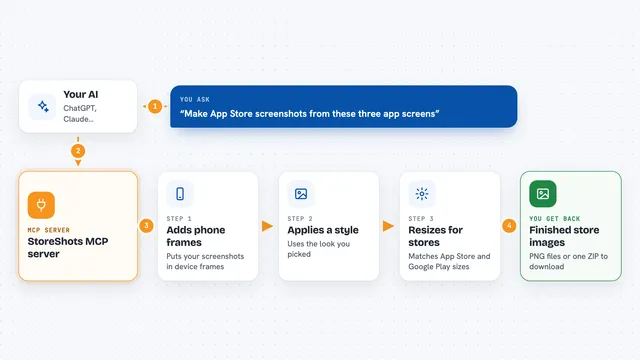
You ask your AI for a marketing visual and give it the screenshot plus a short description of what to highlight. Your AI passes that to this helper, which sends it to MarkItUp along with the template you picked, like bold_marketing or clean_minimal. MarkItUp creates three variations with matching headline and sub-headline text. The helper brings those images back into your chat so you can look at them and pick one. You can also ask it to redo a single variation, stretch an image to a new shape, or cut out the background.
 Click to zoom
What you can do with it
- Turn a screenshot into three marketing visual variations
- Pick a style template like clean_minimal or dark_professional
- Regenerate one variation while keeping the same headline
- Extend an image to a wider or taller shape
- Remove the background and get a transparent PNG
- Check your remaining MarkItUp credits before generating
Try asking your AI
- “Use markitup_generate on this screenshot of our dashboard, highlight the export button, and pitch it for a landing page with the bold_marketing template.”
- “Regenerate variation 2 from that last batch, keep the same headline.”
- “Extend this product photo to 16:9 so it fits our blog header.”
- “Remove the background from this headshot and give me a transparent PNG.”
What it gives back to you
You get back the marketing copy it wrote, a headline and a sub-headline, plus three finished images shown right in the chat. Each generation costs one credit from your MarkItUp account. For background removal you get a transparent PNG. If something goes wrong, like a wrong key or no credits left, you get a short plain message explaining it.
Before you start
What you need
- A MarkItUp account (sign up at markitup.app)
- A MarkItUp API key from your dashboard (a kind of password for apps)
- An MCP-compatible app like Claude Code, Claude Desktop, or Cursor
- Node.js 18 or newer if you install it locally
Good to know
Each generation, regeneration, extension, or background removal uses a MarkItUp credit, so keep an eye on your balance, and treat your API key like a password.
Install it with your AI
Add MarkItUp MCP server to your AI, no technical skills needed
You don't install anything by hand. You copy one prompt, paste it into an AI that can work on your computer, and it checks, installs and connects the server for you, asking you when it needs something.
Sign in to get the install prompt
Members get a ready-made prompt that lets the Claude desktop app check MarkItUp MCP server, install it and connect it for them, step by step. You don't need any technical skills: you copy, paste and answer a few questions. Your connected AI can also find and install any of the 4,361 MCP servers here for you.
Who it's for
Marketers, founders, and anyone who makes product or landing page visuals and wants them generated straight from a screenshot.