MCP server · Security
SecureInput MCP server
by r69shabh
Let your AI ask for an API key or password without the secret ever landing in the chat.
SecureInput is a small helper you run on your own computer. When your AI needs a password, token, or API key, a little input box appears inside the chat, you type the secret there, and it goes straight to a command or a .env file. Your AI only sees that it worked, not the secret itself.
What is an MCP server? The 30-second version
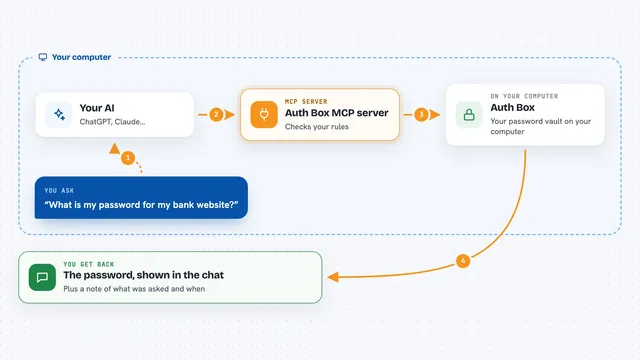
On its own, your AI can only chat. An MCP server is a small helper program that gives your AI one new skill, here the skill of asking you for a secret safely. You connect SecureInput to your AI app, and from then on the AI can say "I need a token" and get a proper input box instead of asking you to paste the key into the conversation. The secret goes to your computer, not into the AI's memory.
What this MCP server does
You ask your AI to do something that needs a key, like logging in to GitHub. The AI calls SecureInput and describes what it needs. A small input box shows up in the chat, styled to match the app you are using. You type the secret and press Enter. SecureInput passes it to a command you approved (through the program's input, not the command line) or writes it into a .env file with tight permissions. Your AI gets back a short status like ok, completed, exit code 0, and nothing else.
What you can do with it
- Type an API key into a chat box instead of pasting it into the conversation
- Log in to a command line tool like gh using a token sent through its input
- Save a secret into a .env file with safe permissions and no overwrites unless you say so
- Keep secrets out of the AI's transcript, the audit log, and the server log
- Cancel a pending request if you change your mind
- Check whether a request is still waiting or already finished
- Limit which folders commands and .env files are allowed to touch
What it gives back to you
You get a short status line in the chat, something like ok true, status completed, exit code 0. You do not get the secret back, and neither does the AI. If a command produced output, that output is kept away from the AI by default. If you have not typed anything yet, you get a pending status with a request ID the AI can check again later.
Before you start
What you need
- Node.js 22 or newer installed on your computer
- An MCP-capable app such as Claude Code, Claude Desktop, Cursor, VS Code with Copilot, Codex, Windsurf, or Cline
- macOS or Linux (Windows is not listed as supported)
Good to know
The commands you approve still run for real on your computer, and anything that can read a written .env file can still see the secret, so only approve commands you trust.
Install it with your AI
Add SecureInput MCP server to your AI, no technical skills needed
You don't install anything by hand. You copy one prompt, paste it into an AI that can work on your computer, and it checks, installs and connects the server for you, asking you when it needs something.
Sign in to get the install prompt
Members get a ready-made prompt that lets the Claude desktop app check SecureInput MCP server, install it and connect it for them, step by step. You don't need any technical skills: you copy, paste and answer a few questions. Your connected AI can also find and install any of the 4,960 MCP servers here for you.
Who it's for
Anyone who uses a coding assistant and is tired of pasting API keys and passwords into the chat, especially developers and IT folks on macOS or Linux.