MCP server · Developer tools
World Model MCP server
Give your AI coding helper a lasting memory of your project, so it stops repeating old mistakes.

This is a memory helper for AI coding assistants. It keeps notes about your project in a small local database, so your AI remembers past fixes, test failures and code changes between sessions. It is handy for developers who use tools like Claude Code, Cursor or Copilot Chat and are tired of explaining the same things again.
What is an MCP server? The 30-second version
On its own, your AI can only chat with you. An MCP server is a small helper program that gives your AI a new skill or a connection to something useful. This one connects your AI to a local memory store for your codebase, so it can look up what happened before and remember what it learns. You ask a question, the AI uses this helper behind the scenes, and you get a better answer.
What this MCP server does
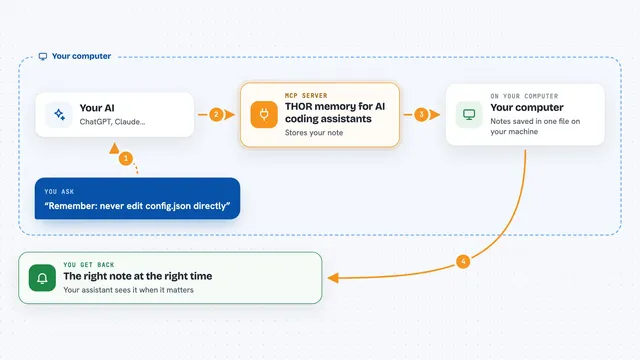
You ask your AI something about your code, like why a test keeps failing. The AI asks this helper, which looks in a local database of past events, fixes and code edits. The helper finds related changes, test results and patterns, then hands that back to the AI. The AI uses those notes to give you a more informed answer or to avoid a mistake it made before. Everything stays on your computer.
 Click to zoom
What you can do with it
- Remember fixes and corrections across coding sessions
- Link test failures to the code changes that caused them
- Spot patterns in which files tend to be edited together
- Flag code changes that look risky based on past regressions
- Keep a local history of what your AI did and why
- Optionally sign an audit trail of events for later checking
Try asking your AI
- “Why did this test start failing last week?”
- “What files usually change together with the login module?”
- “Have we tried fixing this bug before, and what worked?”
- “Is this change likely to cause a regression?”
What it gives back to you
You get answers in the chat, usually as short explanations or lists. For example, it might list past fixes, name related files, or point out a risky change. If you turn on the audit feature, it can also produce a signed record file you can check later. Most of the time it just feeds useful context to your AI so its reply is smarter.
Before you start
What you need
- Python installed on your computer
- An AI coding tool that supports MCP, like Claude Code, Cursor or Copilot Chat
- A terminal or command prompt to run one install command
Good to know
It stores notes about your code and your AI's actions in a local database, so treat that file as private project information.
Install it with your AI
Add World Model MCP server to your AI, no technical skills needed
You don't install anything by hand. You copy one prompt, paste it into an AI that can work on your computer, and it checks, installs and connects the server for you, asking you when it needs something.
Sign in to get the install prompt
Members get a ready-made prompt that lets the Claude desktop app check World Model MCP server, install it and connect it for them, step by step. You don't need any technical skills: you copy, paste and answer a few questions. Your connected AI can also find and install any of the 4,361 MCP servers here for you.
Who it's for
Developers and technical teams who use AI coding assistants daily and want them to remember past work instead of starting fresh every time.