MCP server · Developer tools
OpenReflex MCP server
by vishnu-77
Your AI remembers what worked on past coding tasks and warns you when it is stuck in a loop.

OpenReflex is a memory helper for AI coding agents. It quietly records how your coding tasks go, then reminds your AI of what worked before when a similar task comes up. It is handy for developers who use Claude Code, Codex, Cursor or OpenCode and keep repeating the same fixes.
What is an MCP server? The 30-second version
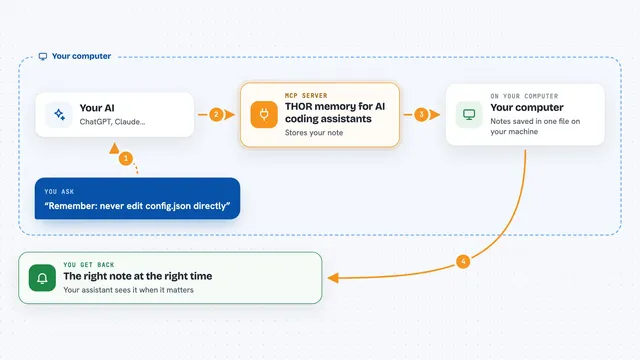
On its own, your AI can only chat with you. An MCP server is a small helper program that gives your AI a new skill or a connection to something else. This one connects your AI to a local memory of your past coding work, so it can look up what worked before and tell you whether to keep going or try something else. Everything stays on your own computer.
What this MCP server does
You work normally in your coding agent. Behind the scenes, OpenReflex watches the steps of each task and saves a short, private summary of what happened. Before a new task, it looks for similar past tasks and quietly adds the useful bits to your AI's context. While you work, it notices when the AI is repeating the same failing command or going in circles, and it suggests whether to continue, switch approach, or stop and ask you. After the task, it learns from the result.
 Click to zoom
What you can do with it
- Reuse a fix that worked on a similar task before
- Get a warning when your AI is stuck in a loop
- Ask whether to continue, pivot or stop on a tricky task
- Preview what past experience a new task would receive
- See what has been learned about your project
- Explain why a recommendation was made
- Delete the memory of one past task
Try asking your AI
- “Fix the login redirect bug”
- “Why did you recommend pivoting just now?”
- “Show me what you remember about this project”
- “Forget the memory of the last task”
What it gives back to you
You get short, plain answers in the chat. Sometimes it is a list of similar past tasks with their lessons, sometimes a one-line suggestion like continue, pivot or stop, and sometimes an explanation of why. It can also show a timeline of the decisions made during a task.
Before you start
What you need
- Python 3.11 or newer
- One of these coding agents: Claude Code, Codex, Cursor or OpenCode
- Permission to enable memory for the project (you approve it once)
Good to know
It records a short description of your prompts and some project details, so review the privacy list and approve only the projects you are comfortable with.
Install it with your AI
Add OpenReflex MCP server to your AI, no technical skills needed
You don't install anything by hand. You copy one prompt, paste it into an AI that can work on your computer, and it checks, installs and connects the server for you, asking you when it needs something.
Sign in to get the install prompt
Members get a ready-made prompt that lets the Claude desktop app check OpenReflex MCP server, install it and connect it for them, step by step. You don't need any technical skills: you copy, paste and answer a few questions. Your connected AI can also find and install any of the 4,361 MCP servers here for you.
Who it's for
Developers and engineers who use AI coding agents daily and want their agent to remember what worked on the same project.