MCP server · Research · official
Scrapfly MCP server
by scrapfly · official
Lets your AI fetch live web pages, take screenshots, and pull structured data from any site.
This is a helper that connects your AI assistant to Scrapfly, a service that reads web pages for you. Once it is connected, your AI can look up what is on a website right now instead of guessing from old training data. It is handy for anyone who needs current prices, listings, news, or page content without copying and pasting by hand.
What is an MCP server? The 30-second version
On its own, your AI can only chat with you using what it already learned. An MCP server is a small helper program that gives your AI a new skill or a connection to another service. This one connects your AI to Scrapfly, a web scraping service, so it can go fetch pages, take screenshots, and pull out information for you. You just ask in normal words, and the AI uses this helper behind the scenes.
What this MCP server does
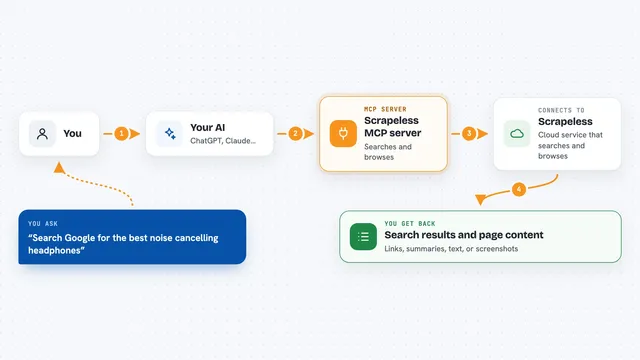
You ask your AI something like what is on a certain web page. The AI sends that request to the Scrapfly helper, which visits the page for you. Scrapfly handles the messy parts, like pages that need JavaScript to load, or sites that block automated visits. Then it sends the content back, and your AI turns it into an answer, a list, or clean structured data in your chat.
What you can do with it
- Fetch any web page and read its current content
- Take a screenshot of a page or a specific part of it
- Pull product prices, listings, or news into a clean list
- Open a cloud browser session and click, type, or scroll through a site
- Check whether a page blocked the request so it can try again
- Store logins in a vault so the browser can sign in for you
- Set up alerts on your Scrapfly account usage
Try asking your AI
- “What are the top posts on Hacker News right now?”
- “Get all the product prices from this Amazon page and put them in a table.”
- “Take a screenshot of this page so I can see how it looks.”
- “Open this site in a browser, log in, and tell me what is on my dashboard.”
What it gives back to you
You get back whatever you asked for, in your chat. That might be the text of a page, a summary, a list of items with prices, a table of structured data, or a screenshot image. If the AI used the cloud browser to click or fill in something, it tells you what it did and what changed.
Before you start
What you need
- A Scrapfly account (you can sign up for free)
- A Scrapfly API key, which is a kind of password the site gives you
- An MCP-compatible AI app like Claude Desktop, Cursor, or VS Code with Copilot
Good to know
Scrapfly uses your account credits each time it fetches a page, so heavy use can cost money, and it can sign in to sites and change things if you ask it to.
Install it with your AI
Add Scrapfly MCP server to your AI, no technical skills needed
You don't install anything by hand. You copy one prompt, paste it into an AI that can work on your computer, and it checks, installs and connects the server for you, asking you when it needs something.
Sign in to get the install prompt
Members get a ready-made prompt that lets the Claude desktop app check Scrapfly MCP server, install it and connect it for them, step by step. You don't need any technical skills: you copy, paste and answer a few questions. Your connected AI can also find and install any of the 4,960 MCP servers here for you.
Who it's for
Anyone who needs current web information in their AI chat, like researchers, marketers, analysts, and people who compare prices or track listings.