MCP server · Analytics · official
Ephemeris forecasting MCP server
by TensorLink-AI · official
Let your AI forecast numbers like sales or traffic, with a range instead of one guess.
Ephemeris is a helper that lets your AI predict future numbers from numbers you already have. You paste in your past sales, signups, traffic or sensor readings, and it gives you a forecast for the weeks or months ahead, with a low and high range. It is handy for anyone who has to plan ahead but is not a data scientist.
What is an MCP server? The 30-second version
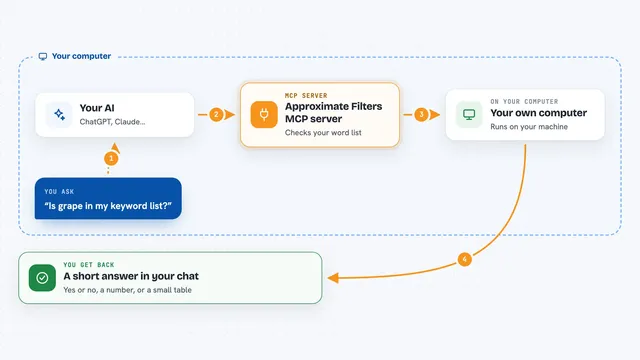
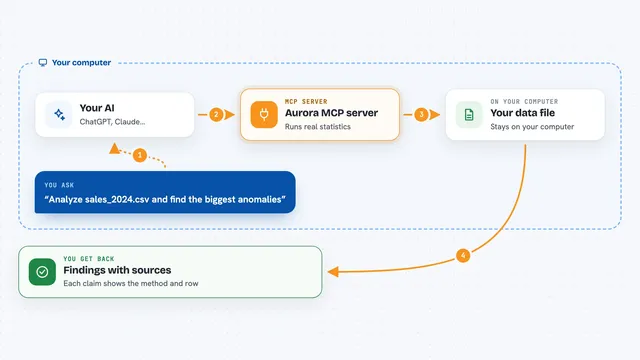
On its own, your AI can only chat. It cannot really do maths on your numbers, and it is famously bad at guessing future values. An MCP server is a small helper program that gives your AI one new skill. This one connects your AI to Ephemeris, a forecasting service, so when you ask for a forecast, your AI hands your numbers to Ephemeris and brings the answer back into the chat.
What this MCP server does
You paste your history into the chat and ask for a forecast. Your AI sends that history to the Ephemeris service through this helper. Ephemeris runs it through one or more forecasting models and works out the likely values ahead, plus a range around them. Your AI then shows you the numbers, a short explanation, or a picture of the forecast. You can also ask it to draw the chart or explain a forecast you already made, without paying for a new one.
What you can do with it
- Forecast sales, demand, traffic or signups for the weeks or months ahead
- Get a low and high range around each forecast, not just one number
- Forecast many series at once, up to 64 in a single request
- Pick a specific model by name, or let Ephemeris choose the best fit
- Use the ensemble, a blend of several models, for a steadier result
- Draw a chart of a saved forecast as a picture
- Check how much credit you have left and what past forecasts cost
Try asking your AI
- “Here are my last 18 months of sales. Forecast the next 6 months with an 80% interval.”
- “Forecast next week's hourly website traffic from this list and tell me the highest expected hour.”
- “Use the ensemble to project daily signups for 90 days and plot the middle line with the 10th to 90th percentile band.”
- “Explain this saved forecast to me in plain words and show me the chart.”
What it gives back to you
You get back a list of forecast values, one per future period, each with a low and high range. You can also get a short written explanation of what the numbers mean, or a chart image right in the chat. If you ask about your account, you get your remaining credit and a list of recent requests with what each one cost.
Before you start
What you need
- An Ephemeris account (sign up free at ephemeris.cascade.industries)
- Credits added to that account (it is pay per forecast, no subscription)
- An API key from your Ephemeris dashboard, which starts with pc_live_
- For Claude Desktop and similar apps: Node.js installed, so the npx bridge can run
Good to know
Each forecast costs credits from your account, so check your balance and avoid repeating the same request by mistake; forecasts are estimates with a range, not guaranteed values.
Install it with your AI
Add Ephemeris forecasting MCP server to your AI, no technical skills needed
You don't install anything by hand. You copy one prompt, paste it into an AI that can work on your computer, and it checks, installs and connects the server for you, asking you when it needs something.
Sign in to get the install prompt
Members get a ready-made prompt that lets the Claude desktop app check Ephemeris forecasting MCP server, install it and connect it for them, step by step. You don't need any technical skills: you copy, paste and answer a few questions. Your connected AI can also find and install any of the 4,610 MCP servers here for you.
Who it's for
Anyone who plans ahead with numbers, like ops, finance, retail, marketing or supply chain people, and analysts who want quick forecasts without building models.