MCP server · Productivity
Touchpoint MCP server
Lets your AI see and click buttons, type text, and read what is on your desktop apps.

Touchpoint is a helper that gives your AI eyes and hands on your computer. It lets the AI look at what is open on your screen, find buttons, menus and text boxes, and click or type in them for you. It is handy if you want your AI to do things in normal desktop programs like Slack, Excel or your browser, not just chat.
What is an MCP server? The 30-second version
On its own, your AI can only talk. An MCP server is a small helper program that gives your AI a new skill or a connection to something else. This one connects your AI to your own desktop, so it can look at your open apps and act inside them when you ask. You install it once, and then your AI can see and use the programs on your computer.
What this MCP server does
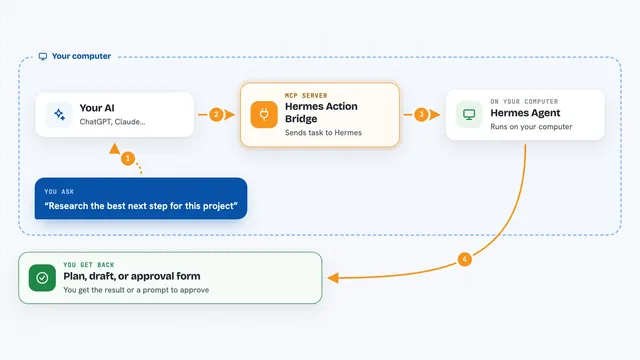
You ask your AI to do something in an app, like find a message in Slack or fill in a form in Chrome. The AI uses this helper to look at the screen and get a list of the real buttons, text boxes and labels with their names and positions. The helper talks to your operating system's built-in accessibility features, so it reads the actual elements instead of guessing from a picture. Then the AI clicks, types or reads what you asked for. You get the result back in the chat, plus a note about what changed on screen.
 Click to zoom
What you can do with it
- Find a button, menu or text box by its name in any open app
- Click, double-click or right-click on an element
- Type text into a field or press keyboard shortcuts
- Read the text shown in a window or panel
- Take a screenshot of your whole screen or one app
- Open, close, move, minimize or resize windows
- Wait until something appears on screen before acting
Try asking your AI
- “Open Slack and send a message to the team channel saying I will be five minutes late”
- “In Chrome, search for the weather in Paris and tell me the result”
- “Read the text in my Excel window and summarize the table”
- “Find the Save button in this app and click it”
What it gives back to you
You get answers in the chat, like a list of elements it found, the text it read from a window, or a screenshot. When it clicks or types, it tells you what it did and often adds a short note about what changed, for example that a new window opened or the focus moved. If nothing changed, it says so, so you know something may have gone wrong.
Before you start
What you need
- Python 3.10 or newer
- On Mac: permission for Accessibility in System Settings
- On Linux: the xdotool and wmctrl programs installed
- An MCP-compatible AI app like Claude Desktop, Cursor or VS Code
Good to know
This helper can click, type and change things in your real apps, so only ask it to do things you are comfortable with and check the result afterward.
Install it with your AI
Add Touchpoint MCP server to your AI, no technical skills needed
You don't install anything by hand. You copy one prompt, paste it into an AI that can work on your computer, and it checks, installs and connects the server for you, asking you when it needs something.
Sign in to get the install prompt
Members get a ready-made prompt that lets the Claude desktop app check Touchpoint MCP server, install it and connect it for them, step by step. You don't need any technical skills: you copy, paste and answer a few questions. Your connected AI can also find and install any of the 4,609 MCP servers here for you.
Who it's for
People who want their AI to help with everyday desktop tasks in apps like Slack, Excel or a browser, without writing any code.