MCP server · Translation · official
Lara Translate MCP server
by translated · official
Let your AI translate text properly, detect languages, and use your own glossaries and translation memories.

This is the official connector for Lara Translate, a professional translation service. Once it is connected, your AI can translate text for you using Lara instead of guessing on its own. It is handy if you work with other languages and want translations that respect your company's terms and style.
What is an MCP server? The 30-second version
On its own, your AI can only chat with you using what it already knows. An MCP server is a small helper that gives your AI a new skill or a connection to an app or service. This one connects your AI to Lara Translate, a professional translation service. So when you ask for a translation, your AI can send the text to Lara and bring the result back to you.
What this MCP server does
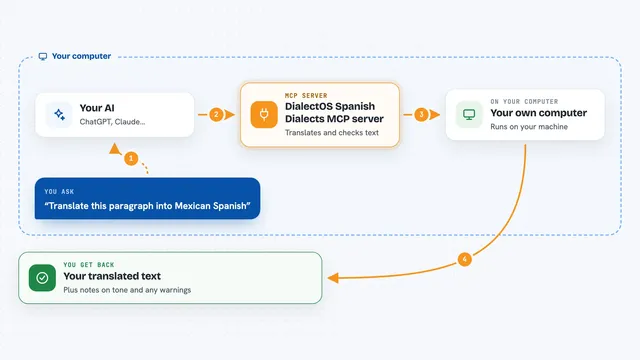
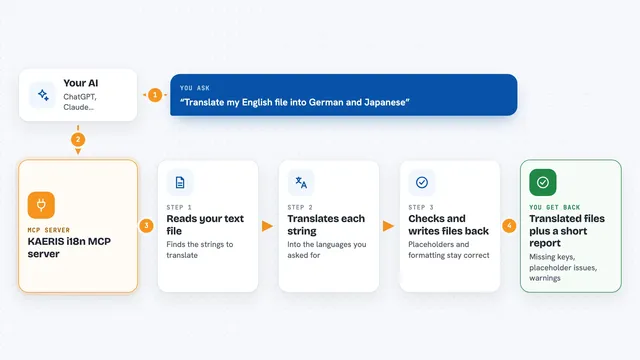
You ask your AI to translate something, for example a short email or a product description. Your AI passes that text to this helper, which sends it to Lara Translate. Lara translates it using its own professional translation models, and can follow the glossary and translation memory you set up in your account. The translated text comes back into your chat, ready to copy. You can also ask it to detect what language a piece of text is in, or to list the languages it supports.
 Click to zoom
What you can do with it
- Translate text between languages, with a choice of faithful, fluid, or creative style
- Detect the language of a piece of text, or of several texts at once
- List all the language codes Lara supports
- List, create, rename, or delete translation memories in your account
- Add or remove translation pairs in a memory, and import TMX files
- List, create, rename, or delete glossaries, and add or remove terms
- Import glossary terms from a CSV file and export a glossary as CSV
Try asking your AI
- “Translate with Lara "Hello world" to Spanish”
- “What language is this text in: Guten Morgen, wie geht es dir?”
- “Translate this paragraph into German using my marketing glossary, in a fluid style”
- “List the translation memories in my Lara account”
What it gives back to you
You get the translated text right in the chat, in the language you asked for. For language detection you get the language name or code. For memories and glossaries you get lists of what is in your account, with names and details. When you add, change, or delete something, it tells you what it did.
Before you start
What you need
- A Lara Translate account (free to create)
- A client that supports MCP connectors, such as the Claude desktop app
- Nothing else for the hosted setup: you log in through your browser
Good to know
It can change or delete things in your Lara account, like memories and glossaries, so check before you approve a delete.
Install it with your AI
Add Lara Translate MCP server to your AI, no technical skills needed
You don't install anything by hand. You copy one prompt, paste it into an AI that can work on your computer, and it checks, installs and connects the server for you, asking you when it needs something.
Sign in to get the install prompt
Members get a ready-made prompt that lets the Claude desktop app check Lara Translate MCP server, install it and connect it for them, step by step. You don't need any technical skills: you copy, paste and answer a few questions. Your connected AI can also find and install any of the 4,361 MCP servers here for you.
Who it's for
Anyone who works with more than one language, like translators, marketing teams, support staff, and people writing emails or documents for international colleagues.